
12 Best Notion Alternatives in 2026
- Why Teams Switch From Notion
- 1. Agiled: Best All-in-One Notion Alternative for Business
- 2. ClickUp: Best for Feature-Dense Project Management
- 3. Monday.com: Best for Visual Workflow Automation
- 4. Coda: Best for Doc-Powered Workflows
- 5. Obsidian: Best for Local-First Knowledge Management
- 6. Confluence: Best for Enterprise Jira Teams
- 7. Slite: Best for AI-Powered Team Knowledge Base
- 8. Asana: Best for Structured Portfolio Management
- 9. Basecamp: Best for Opinionated Simplicity
- 10. Airtable: Best for Relational Database Workflows
- 11. Nuclino: Best Lightweight Collaborative Wiki
- 12. Taskade: Best for AI-Native Team Workspaces
- How These 12 Platforms Compare on Core Capabilities
- The Real Cost of Running Notion for a Service Business
- When Notion Is Still the Right Choice
- Our Cross-Platform Analysis: How We Evaluated These 12 Tools
- Frequently Asked Questions
Notion: Free (20 lifetime AI responses), Plus $10/user/month (20 lifetime AI responses), Business $20/user/month (unlimited AI), Enterprise custom. No CRM, invoicing, or client portal on any plan. Top alternative: Agiled (from $24/mo billed annually, CRM + invoicing + PM + docs + client portal included).
Notion is a block-based workspace that combines docs, wikis, databases, and lightweight task tracking. Plans run from Free (limited to 20 lifetime AI responses) through Plus at $10/user/month (still 20 lifetime AI responses), Business at $20/user/month (unlimited AI, connected properties, synced databases), and Enterprise at custom pricing . Notion reached 100 million users by being the most flexible doc-and-database tool on the market, but flexibility is not the same as completeness. There is no native CRM, no invoicing, no proposals or contracts, no client portal, no Gantt charts, no time tracking, and no resource management on any plan. Teams that need structured project delivery or client-facing business operations end up bolting 3-4 external tools onto Notion and paying more than a single all-in-one platform would cost.
Quick decision guide:
| If You Need | Best Pick | Starting Price |
|---|---|---|
| Everything in one platform | Agiled | $24/mo billed annually |
| Feature-dense PM + docs | ClickUp | Free |
| Visual boards + automations | Monday.com | Free (2 users) |
| Doc-powered app building | Coda | Free |
| Local-first privacy | Obsidian | Free |
| Enterprise Jira integration | Confluence | Free (10 users) |
| AI-powered knowledge base | Slite | $10/user/mo |
| Structured PM with portfolios | Asana | Free (15 users) |
Why Teams Switch From Notion
Notion works well as a documentation hub and lightweight task tracker for small teams. But users on r/productivity and r/Notion report consistent friction points once they try to run actual business operations from it.
- AI features now require Business tier at $20/user/month. Notion discontinued the standalone $8/month AI add-on in 2025. Unlimited AI is exclusive to Business and Enterprise plans. Free and Plus users get exactly 20 AI responses for the lifetime of the workspace, not 20 per month, not 20 per user. Once a team of 5 burns through 4 AI queries each, the feature is gone permanently unless the workspace upgrades to Business .
- Not a project management tool. Notion can display tasks in database views, but it lacks native Gantt charts, task dependencies, milestones, critical path analysis, resource management, workload views, and burn-down charts. Teams building project trackers in Notion databases create fragile custom setups that break when requirements change.
- No CRM, invoicing, proposals, or contracts on any plan. Notion has no sales pipeline, no deal tracking, no contact management beyond a manual database, no invoice generation, no proposal builder, no contract e-signing, and no client portal. Service businesses and agencies need 3-4 separate tools alongside Notion for the business side of client work.
- Performance degrades with scale. Notion slows noticeably as databases grow beyond a few thousand rows. Pages with large linked databases can take 3-5 seconds to load. Teams using Notion as a primary operational data store hit performance ceilings that purpose-built tools avoid entirely.
- Core features gated behind Business tier. Connected properties (linking databases across workspaces), synced databases, SAML SSO, bulk PDF export, and advanced permissions are all Business-only at $20/user/month. Teams on Plus at $10/user/month lose access to functionality that competitors include in lower tiers .
- Custom domains cost $8-10/month each. Publishing Notion pages via Notion Sites with a custom domain requires a per-domain add-on at $8/month (annual) or $10/month (monthly). An agency publishing 3 client-facing sites pays $24-30/month in domain fees alone, on top of per-user plan costs .
- The "maintenance tax" on non-technical users. Notion's block-based flexibility means there is no pre-defined structure. Non-technical team members spend more time configuring views, fixing filters, and adjusting layouts than doing actual work. Multiple user experience reviews identify this as the primary reason for Notion abandonment among mixed-skill teams.
1. Agiled: Best All-in-One Notion Alternative for Business
Agiled is the strongest Notion alternative for teams that need a complete business platform, not just docs and databases. Where Notion gives you a flexible workspace to organize information, Agiled delivers native CRM, invoicing, proposals and contracts, project management, client portals, time tracking, and AI agents, all built in from Starter, with HR on Pro and above.
The architectural difference is fundamental. Notion excels at documentation and knowledge management but requires you to bolt on separate tools for everything else: a CRM for sales, an invoicing platform for billing, a PM tool for structured project tracking, and a portal for client collaboration. Agiled eliminates that tool sprawl. A lead enters through CRM, receives a proposal from Documents, signs a contract with e-signatures, becomes an active project in Projects, logs time against it, and gets invoiced through Finance, all without leaving the platform.
For agencies and service businesses, Agiled closes the gaps that make Notion impractical as a primary business tool. The built-in client portal (branded on Business, or with the Branded Client Portal add-on) gives clients a space to view project progress, approve deliverables, and pay invoices. AI agents are included at no extra cost, without the 20-response lifetime cap that Notion's Free and Plus plans impose. And unlike Notion's Business tier at $20/user/month for full functionality, Agiled's 14-day free trial lets you test the entire platform before committing.
What sets Agiled apart from Notion:
- Project management with Kanban boards, Gantt charts, task dependencies, milestones, project templates, and burn-down charts
- Time tracking with built-in timer that converts tracked hours into billable invoices automatically
- CRM with visual pipelines, contact management, deal tracking, and activity timelines
- Invoicing and finance with professional invoices, estimates, and expense tracking (financial reports on Pro and above, recurring billing on Business and above)
- Proposals and contracts with creation, customization, and e-signing using reusable templates
- Client portal where clients view project progress, approve deliverables, and make payments (branded on Business, or with the Branded Client Portal add-on on Starter and Pro)
- HR with employee management, attendance and leave tracking (Pro and above)
- Docs and knowledge base with rich documents, internal wikis, and team knowledge sharing (wikis on Pro and above)
- Agiled AI that drafts proposals, emails, and reports with context-aware AI, included from Starter (AI Workers on Scale)
- Brand customization for client-facing portal and documents (Business and above, or the Branded Client Portal add-on on Starter and Pro)
Pricing: There is no free plan. Starter is $29/month or $24/month billed annually for 1 seat. Pro is $69/month or $59/month billed annually for 3 seats. Business is $129/month or $99/month billed annually for 7 seats. Scale is $249/month or $199/month billed annually for 15 seats. Extra seats are $20/seat/month on Pro, Business and Scale. New workspaces start with a 14-day free trial that includes Business features. See the Agiled pricing page.
Why choose Agiled over Notion: Notion is a doc-first workspace with no business operations. Agiled gives you CRM, invoicing, project delivery, proposals, contracts, a client portal, and HR in one workspace at a fraction of the cost. A 10-person team on Notion Business ($200/month) still needs a CRM, invoicing, and PM tool. The same team on Agiled Business pays $159/month billed annually (7 included seats plus 3 extra seats) and gets all of it in one platform.
2. ClickUp: Best for Feature-Dense Project Management
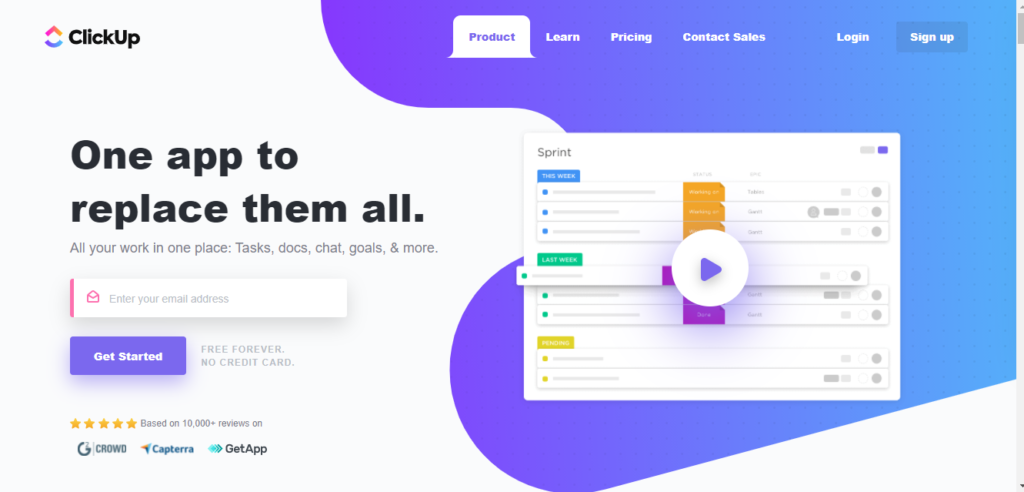
ClickUp is a feature-dense workspace that combines project management, docs, whiteboards, goals, and time tracking. It is the closest match to Notion's breadth of features but with significantly stronger project management capabilities: native Gantt charts, task dependencies, sprint management, workload views, and 15+ project views that Notion lacks entirely.
ClickUp Docs offer a writing experience similar to Notion's block-based editor, and its database views provide flexible ways to structure information. The Unlimited plan at $7/user/month (annual) includes most core features, making it cheaper than Notion's Plus plan at $10/user/month for teams that prioritize project management over documentation .
The trade-off is complexity. ClickUp's sheer number of features and configuration options creates one of the steepest learning curves in the category. Teams migrating from Notion to escape complexity may find ClickUp equally overwhelming, though its pre-built templates reduce initial setup time.
Key features:
- 15+ views including List, Board, Gantt, Timeline, Mind Maps, and Workload
- Built-in docs, whiteboards, and real-time chat
- Native time tracking and goal setting
- Custom fields, statuses, and workflow automations
- Brain AI available as add-on at $9/user/month (annual)
Limitations: Overwhelming interface with steep learning curve. AI features require paid add-on ($9/user/month), not included in base plans. No native CRM, invoicing, or client portal. Mobile app performance lags behind desktop.
Pricing: Free Forever plan available. Unlimited at $7/user/month (annual). Business at $12/user/month (annual). Enterprise custom .
3. Monday.com: Best for Visual Workflow Automation
Monday.com offers intuitive visual boards with drag-and-drop workflows, automations, and dashboards. For teams switching from Notion because they need structured project management with less setup, Monday.com provides a more guided experience with 200+ templates and a visual-first interface that non-technical users adopt faster than Notion's blank-canvas approach.
Monday.com is easier to onboard than both Notion and ClickUp for mixed-skill teams. The Standard plan at $12/seat/month includes timeline and Gantt views, automations (250 actions/month), and integrations. The minimum seat requirement (3 seats on paid plans) means a solo user pays at least $27/month on Basic, which is more expensive than Notion Plus .
CRM is available as a separate Monday product with its own pricing starting at $12/seat/month, not included in the work management plans.
Key features:
- Customizable visual boards with color-coded statuses and dashboards
- 200+ templates for different workflows and industries
- Automation recipes for follow-ups, assignments, and status changes
- Time tracking and workload management on Pro plan
- Integrations with 200+ tools including Slack, Google Workspace, and Microsoft 365
Limitations: CRM is a separate product with separate pricing. No invoicing, proposals, or contracts. 3-seat minimum on paid plans forces minimum $27/month spend. Automation action limits (250/month on Standard) can trigger overages or forced upgrades. No built-in docs or wiki comparable to Notion's.
Pricing: Free for up to 2 users. Basic at $9/seat/month. Standard at $12/seat/month. Pro at $19/seat/month. Enterprise custom. All billed annually with 3-seat minimum on paid plans .
4. Coda: Best for Doc-Powered Workflows
Coda is the closest structural alternative to Notion. It is a doc-based workspace where documents can contain tables, buttons, automations, and integrations that make them function like lightweight apps. If you value Notion's flexibility but need more powerful automation and integration capabilities inside documents, Coda is the strongest option.
Coda's Packs system lets you pull live data from tools like Slack, Jira, GitHub, and Google Calendar directly into documents, creating dynamic dashboards without leaving the doc. The automation builder is more capable than Notion's, with multi-step workflows triggered by data changes inside tables.
A key pricing advantage: Coda charges only "Doc Makers" (users who create and edit documents), not viewers. A team of 20 where only 5 people create content and 15 read/comment pays for 5 seats, not 20. Notion charges per user regardless of role .
Key features:
- Docs that work like apps with tables, buttons, formulas, and conditional logic
- Packs for live data from 600+ integrations inside docs
- Built-in automation builder with multi-step triggers and actions
- Cross-doc syncing and reusable templates
- Real-time collaboration with commenting and version history
Limitations: Performance slows with large documents, similar to Notion's database scaling issue. Smaller community and template ecosystem than Notion. Not a dedicated PM tool: same structural limitation as Notion for project management. Pro plan at $10/Doc Maker/month (annual) has row limits that force upgrades .
Pricing: Free plan available (limited rows). Pro at $10/Doc Maker/month (annual). Team at $30/Doc Maker/month (annual). Enterprise custom .
5. Obsidian: Best for Local-First Knowledge Management
Obsidian is a local-first, Markdown-based knowledge management tool built around linked notes and a graph view that visualizes connections between ideas. It is the best Notion alternative for individuals and small teams who prioritize data ownership, offline speed, and zero vendor lock-in.
Unlike Notion, Obsidian stores everything as plain Markdown files on your local device. There is no cloud dependency for basic functionality, no performance degradation as your vault grows to tens of thousands of notes, and no risk of losing access if the company changes pricing or shuts down. Your notes are files on your hard drive, readable by any text editor.
A significant 2025 change: Obsidian removed its $50/user/year commercial license requirement entirely. The core app is now free for all use, personal and commercial. The only costs are optional add-ons: Sync at $4/month (annual) for end-to-end encrypted cross-device sync, and Publish at $8/month (annual) for publishing notes as a website .
Key features:
- Local-first storage with plain Markdown files, no vendor lock-in
- Graph view for visualizing note connections across your entire vault
- 1,000+ community plugins for task management, calendars, kanban boards, and custom workflows
- Canvas for visual brainstorming and mind mapping
- End-to-end encrypted sync via optional Sync add-on
Limitations: No real-time collaboration without paid Sync add-on ($4/month) and even then, collaboration is limited compared to Notion's multi-user editing. No built-in databases, relational data, or structured views. Requires comfort with Markdown and plugin configuration. Not suited for team wikis or client-facing documentation without additional setup and Publish ($8/month).
Pricing: Free for personal and commercial use. Sync at $4/month (annual). Publish at $8/month (annual). Catalyst one-time donation from $25 .
6. Confluence: Best for Enterprise Jira Teams
Confluence is Atlassian's enterprise wiki and documentation platform. It is the primary Notion alternative for organizations already using Jira, because the two-way integration between Confluence pages and Jira issues creates a documentation layer that Notion cannot replicate for development teams.
Confluence's spaces, page trees, and structured templates provide more organizational guardrails than Notion's freeform approach. For large organizations that need consistent documentation standards across 50+ teams, Confluence's opinionated structure is an advantage, not a limitation. The free plan supports up to 10 users with 2GB storage, making it accessible for small dev teams testing the Atlassian ecosystem.
The Standard plan at $5.42/user/month (annual, pricing varies by team size) includes 250GB storage and basic automation. Premium at $10.44/user/month adds unlimited storage, advanced analytics, and a 99.9% SLA .
Key features:
- Organized spaces with page hierarchies, labels, and 75+ templates
- Deep two-way Jira integration: embed Jira issues in pages, link pages to sprints
- AI-powered search and content suggestions (Atlassian Intelligence)
- Whiteboards for visual collaboration and diagramming
- Enterprise-grade permissions, audit logs, and compliance controls
Limitations: Interface feels dated compared to Notion's modern block-based design. Tightly coupled to the Atlassian ecosystem, significantly less useful without Jira. Page editor is less flexible than Notion's. Pricing per-user costs decrease with scale but increase for small teams. No CRM, invoicing, or client portal.
Pricing: Free for up to 10 users. Standard from $5.42/user/month. Premium from $10.44/user/month. Enterprise custom. Pricing varies by team size .
7. Slite: Best for AI-Powered Team Knowledge Base
Slite is a focused team knowledge base with AI-powered search that helps teams find answers across their documentation instantly. Where Notion tries to be everything (docs, databases, projects, wikis), Slite concentrates on one thing: making team knowledge easy to create, organize, and retrieve through natural language queries.
Slite's "Ask" feature lets team members query the knowledge base in plain language and get sourced answers with citations to specific documents. This solves the biggest complaint about Notion wikis: information goes in but nobody can find it later. The interface is cleaner and simpler than Notion for pure documentation use cases.
Slite updated its pricing in 2025-2026. The Standard plan is now $10/user/month, up from the previously reported $8/user/month. Premium costs $16/user/month and includes unlimited AI Ask queries .
Key features:
- AI-powered search and Q&A ("Ask") across all documents with source citations
- Channels for organizing knowledge by team, department, or topic
- Templates for onboarding, meeting notes, processes, and SOPs
- Integrations with Slack, Google Drive, Asana, and 30+ tools
- Real-time collaborative editing with inline comments
Limitations: Not a project management tool: no task views, Gantt charts, dependencies, or databases. Smaller feature set than Notion. Limited customization compared to Notion's block system. No free plan currently available. No CRM, invoicing, or client portal.
Pricing: Standard at $10/user/month. Premium at $16/user/month. Knowledge Suite at $25/user/month .
8. Asana: Best for Structured Portfolio Management
Asana is a purpose-built project management platform with timelines, portfolios, goals, and a workflow builder. It is the best Notion alternative for teams whose primary frustration is Notion's lack of real project management. Asana provides the structured views, reporting, and portfolio-level oversight that Notion's databases cannot replicate.
Asana's clean interface and focused feature set make it faster to adopt than building custom project trackers inside Notion. The free plan supports up to 15 users (recently reduced from the previous limit), making it accessible for small teams. The trade-off is that Asana has no docs, wikis, or knowledge base, so it solves the PM gap but creates a documentation gap that Notion filled.
Key features:
- Lists, boards, timelines, and calendar views for project tracking
- Portfolio view for managing multiple projects with status rollups
- Goals and milestones for OKR-style progress tracking
- Custom rules for automating task workflows (250 rules/month on Starter)
- 260+ integrations including Slack, Google Workspace, and Microsoft Teams
Limitations: No docs, wiki, or knowledge base. Advanced plan at $24.99/user/month is expensive for small teams. Tasks limited to a single assignee. No CRM, invoicing, or client portal. Reporting depth requires Advanced tier.
Pricing: Free for up to 15 users. Starter at $10.99/user/month (annual). Advanced at $24.99/user/month (annual). Enterprise custom .
9. Basecamp: Best for Opinionated Simplicity
Basecamp is the anti-Notion: a deliberately simple collaboration tool with message boards, to-dos, docs, and automatic check-ins. Where Notion gives you infinite flexibility and infinite setup time, Basecamp gives you a pre-structured workspace that works out of the box with zero configuration.
For teams that found Notion too open-ended and spent more time building their workspace than doing actual work, Basecamp's opinionated structure removes decision fatigue. Every project gets the same six tools: message board, to-dos, docs/files, campfire chat, schedule, and automatic check-ins. No databases, no custom views, no configuration needed.
The Pro Unlimited plan at $299/month (annual) for unlimited users makes Basecamp the cheapest per-user option for teams over 20 people. A 50-person team pays $6/user/month, less than Notion's Free plan limitations would allow at scale .
Key features:
- Pre-structured project spaces with message boards and group chat
- To-do lists with assignments, deadlines, and completion tracking
- Document and file sharing with version history
- Hill Charts for visual progress tracking (unique to Basecamp)
- Automatic check-ins for async team updates (e.g., "What did you work on today?")
Limitations: No Gantt charts, task dependencies, or advanced project views. No databases or flexible data structures. No CRM, invoicing, or client portal. Limited reporting and customization. Not suited for teams that need the flexibility Notion provides.
Pricing: $15/user/month. Pro Unlimited at $299/month flat rate for unlimited users (annual billing) or $349/month (monthly) .
10. Airtable: Best for Relational Database Workflows
Airtable is a relational database platform with spreadsheet, Kanban, calendar, gallery, and timeline views. It is the best Notion alternative for teams whose primary use case is structured, relational data. Airtable's linked records, rollup fields, complex formulas, and Interface Designer go far deeper than Notion's database capabilities.
Where Notion databases are flexible but shallow (limited field types, no true relational modeling, slow with scale), Airtable handles linked records across tables, rollup calculations, conditional lookups, and automations with significantly more power. The Interface Designer lets you build custom internal apps on top of your data without code, something Notion cannot do.
The cost barrier is real. Airtable's Team plan at $20/user/month (annual) and Business at $45/user/month make it one of the most expensive tools in this list. The free plan is limited to 1,000 records per base and 1GB of attachments, which most teams outgrow within weeks .
Key features:
- Relational databases with 20+ field types and multiple views
- Linked records across tables with rollup and lookup fields
- Workflow automations with triggers, conditions, and multi-step actions
- Interface Designer for building custom internal apps without code
- Extensive API and integrations ecosystem (100+ native integrations)
Limitations: Expensive: Team at $20/user/month, Business at $45/user/month. Not a documentation or wiki tool. Steep learning curve for non-technical users building relational models. Record limits on free plan (1,000/base) and Team plan (50,000/base) force upgrades. No CRM, invoicing, or client portal.
Pricing: Free plan (1,000 records/base, 1GB attachments). Team at $20/user/month (annual). Business at $45/user/month (annual). Enterprise custom .
11. Nuclino: Best Lightweight Collaborative Wiki
Nuclino is a fast, minimal wiki tool that focuses on instant page creation, real-time collaboration, and a clean graph view for connecting knowledge. It is the best Notion alternative for teams that want a lightweight, fast wiki without the overhead of Notion's databases, views, and configuration layers.
Nuclino loads noticeably faster than Notion, has a simpler editor, and requires almost no onboarding. The graph view helps visualize how knowledge connects across your workspace, similar to Obsidian's graph but in a collaborative, cloud-based context. For teams that only used Notion for internal documentation and found it bloated, Nuclino strips away everything except the wiki.
The Standard plan at $6/user/month (annual) includes unlimited items, 10GB storage per user, and 30-day version history. The Business plan at $10/user/month adds AI features for content generation and Q&A .
Key features:
- Instant wiki with real-time collaborative editing (sub-second load times)
- Graph view for visualizing knowledge connections across the workspace
- Board, list, and table views for organizing content
- Integrations with Slack, Google Drive, Figma, and 40+ tools
- Markdown support and fast page creation
Limitations: Limited project management capabilities: no Gantt charts, time tracking, task dependencies, or sprint management. Small feature set compared to Notion. Free plan capped at 50 items. No CRM, invoicing, or client portal.
Pricing: Free for up to 50 items and unlimited users. Standard at $6/user/month (annual). Business at $10/user/month (annual) .
12. Taskade: Best for AI-Native Team Workspaces
Taskade is an AI-native workspace that combines task management, docs, mind maps, and video chat with built-in AI agents. It is the best Notion alternative for teams that want AI deeply integrated into every workflow, not as an add-on or a 20-response trial, but as a core operating layer.
Taskade's AI agents can generate project structures, break down tasks, summarize notes, and automate repetitive workflows. The platform supports multiple views (list, board, mind map, org chart, calendar) and includes real-time video chat for hybrid collaboration, something neither Notion nor most alternatives offer natively.
A key pricing shift: Taskade moved to flat-rate credit-based pricing. The Pro plan costs $20/month for up to 10 users with 50,000 AI credits/month, and the Business plan is $50/month for unlimited users with 150,000 credits/month. This makes Taskade significantly cheaper per user than Notion Business for AI-heavy teams .
Key features:
- AI agents for task generation, summarization, content creation, and workflow automation
- Multiple views: list, board, mind map, org chart, calendar, and table
- Real-time video chat and screen sharing built into the workspace
- Collaborative docs with nested task structures and checklists
- Templates powered by AI generation with one-click project scaffolding
Limitations: Younger ecosystem than Notion with fewer third-party integrations. AI credit limits can be exhausted by heavy automation users. Smaller community and template library. Not suited for teams that need structured relational databases or deep data modeling.
Pricing: Free plan available. Pro at $20/month (up to 10 users, 50,000 AI credits). Business at $50/month (unlimited users, 150,000 AI credits) .
How These 12 Platforms Compare on Core Capabilities
We evaluated each platform across 7 capabilities that Notion users ask about most when evaluating alternatives: project management depth, docs/wiki quality, CRM, invoicing, AI features, client portal, and entry-level pricing.
| Platform | Project Mgmt | Docs/Wiki | CRM | Invoicing | AI Features | Client Portal | Price From |
|---|---|---|---|---|---|---|---|
| Agiled | Full (Gantt, deps) | Yes (wikis on Pro) | Yes | Yes | Included | Yes | $24/mo billed annually |
| Notion | Basic (databases) | Yes | No | No | $20/user tier | No | Free |
| ClickUp | Full (15+ views) | Yes | Template only | No | $9/user add-on | No | Free |
| Monday.com | Full (visual) | No | Separate product | No | Partial | No | Free (2 users) |
| Coda | Basic (doc tables) | Yes | No | No | Partial | No | Free |
| Obsidian | Plugin only | Yes | No | No | Plugin | No | Free |
| Confluence | No | Yes | No | No | Yes (Atlassian AI) | No | Free (10 users) |
| Slite | No | Yes | No | No | Yes (Ask AI) | No | $10/user/mo |
| Asana | Full (portfolios) | No | No | No | Add-on | No | Free (15 users) |
| Basecamp | Basic (to-dos) | Basic | No | No | No | No | $15/user/mo |
| Airtable | Basic (views) | No | No | No | Add-on | No | Free |
| Nuclino | No | Yes | No | No | Business plan | No | Free |
| Taskade | Basic (AI tasks) | Yes | No | No | Core feature | No | Free |
The table reveals a structural gap in the Notion alternatives market: most tools excel in either docs/wikis or project management, but almost none include CRM, invoicing, or a client portal. Agiled is the only platform that covers all seven columns in one workspace without requiring separate products or paid add-ons for core business operations.
The Real Cost of Running Notion for a Service Business
Notion's per-user pricing appears straightforward until you factor in the external tools required for business operations beyond documentation. We calculated the actual annual cost for a 10-person service team using Notion Business versus an all-in-one platform.
| Stack Configuration | Monthly Cost (10 users) | Annual Cost | What You Get |
|---|---|---|---|
| Notion Business only | $200 | $2,400 | Docs, wikis, databases, unlimited AI |
| Notion Business + Asana Starter | $310 | $3,720 | Above + structured PM |
| Notion Business + Asana + HubSpot Starter | $330 | $3,960 | Above + basic CRM |
| Notion Business + Asana + HubSpot + FreshBooks Plus | $363 | $4,356 | Above + invoicing |
| Agiled Business (10 users) | $159 | $1,908 | CRM + invoicing + PM + docs + proposals + client portal + time tracking + HR |
The break-even math is decisive. A 10-person team on Notion Business paying for three commonly needed external tools spends $4,356/year and manages four separate logins, four billing cycles, and four disconnected data sources. Agiled covers all of this, plus a client portal, time tracking, proposals, contracts, and HR, for $1,908/year on Business annual billing (7 included seats plus 3 extra seats). That is a 56% cost reduction with a single login and zero data fragmentation.
The per-user cost compounds the gap further. Notion Business at $20/user/month gives you docs, databases, and AI. Agiled Business for 10 users ($159/month billed annually) works out to $15.90/user/month and gives you docs, databases, CRM, invoicing, PM with Gantt charts, proposals, contracts, a client portal, time tracking, and HR. Notion charges $4.10/user/month more and delivers fewer business capabilities.
When Notion Is Still the Right Choice
Not every team needs to switch. Notion remains the right tool in specific situations:
- Your team only needs docs, wikis, and lightweight databases. If your workflow is documentation-first (internal wikis, meeting notes, product specs, knowledge bases) and you do not need CRM, invoicing, or structured project management, Notion's block-based editor is genuinely best-in-class.
- You have a small team of technical users. Teams of 3-5 technically comfortable users who enjoy building custom database views, templates, and automations get real value from Notion's flexibility. The "maintenance tax" primarily affects larger, mixed-skill teams.
- You are already heavily invested in Notion. Teams with years of documentation, hundreds of database templates, and established workflows face migration costs that may exceed the savings from switching, especially for teams under 10 people who stay on the Plus plan.
- You use Notion primarily for personal knowledge management. Individual users on the free plan who use Notion as a personal wiki, journal, or reading notes system have no reason to switch unless they need offline access (use Obsidian) or AI without the 20-response cap.
- Your budget tolerates the Business tier. If $20/user/month is acceptable and you only need what Notion provides (docs, databases, AI, connected properties), the platform is polished, widely adopted, and well-documented.
If none of these apply, especially if your team needs structured project management, a CRM, invoicing, or a client portal alongside documentation, you will get more value from one of the 12 alternatives above.
Our Cross-Platform Analysis: How We Evaluated These 12 Tools
To produce the comparison above, we cross-referenced feature pages, pricing pages, and recent user reviews on Capterra, G2, and Reddit for all 12 platforms as of April 2026. We specifically tested how each tool handles the four most common post-Notion workflows: documentation/wiki, structured project management, client relationship management, and billing/invoicing.
What the data shows:
- Only 1 platform (Agiled) offers CRM, invoicing, project management, docs, AND a client portal in one product. Every other Notion alternative requires 2-4 external tools for complete business operations.
- Notion's 2025 AI pricing restructuring is the most under-reported change in the productivity tool market. The standalone $8/month AI add-on was quietly discontinued, and unlimited AI was moved to Business ($20/user/month). Multiple comparison sites still describe AI as a "$10/month add-on," creating expectation gaps during checkout .
- The 20-lifetime-AI-response cap on Free and Plus plans is the most common complaint in r/Notion threads about pricing. Users discover the limit is not monthly or weekly but permanent per workspace. A team of 4 on Plus gets 5 AI queries per person, total, before the feature is locked (Notion's complimentary AI trial is 20 responses per workspace, one time).
- Among the 12 alternatives, only 4 (ClickUp, Coda, Nuclino, Taskade) match Notion's doc + database combination. The rest specialize in either documentation (Obsidian, Confluence, Slite) or project management (Monday.com, Asana, Basecamp) but not both.
- Obsidian's removal of the commercial license fee in 2025 makes it the only completely free alternative for individual knowledge management. Notion's free plan has AI caps and cloud dependency. Obsidian's free tier has neither.
Frequently Asked Questions
How much does Notion cost in 2026?
Notion offers four plans: Free (unlimited pages, 20 lifetime AI responses), Plus at $10/user/month billed annually or $12/month billed monthly (still 20 lifetime AI responses), Business at $20/user/month annually or $24/month monthly (unlimited AI, connected properties, synced databases, SAML SSO), and Enterprise at custom pricing. Custom domains via Notion Sites cost an additional $8/month (annual) or $10/month (monthly) per domain. Monthly billing adds approximately 20% to annual rates across all tiers .
Which Notion alternative is best for agencies?
Agiled is the best Notion alternative for agencies because it combines project management, CRM, invoicing, proposals and contracts, and a client portal in one platform. Notion lacks all of these natively, forcing agencies to stitch together 3-4 separate tools. A 10-person agency on Notion Business + Asana + HubSpot + FreshBooks pays approximately $363/month across four platforms. The same agency on Agiled Business pays $159/month billed annually for equivalent or broader coverage in a single workspace.
Can I migrate my data from Notion to another tool?
Notion allows you to export pages and databases as Markdown, CSV, or HTML files via Settings > Export All Workspace Content. Tools like ClickUp and Coda offer dedicated Notion import wizards that preserve page structure and some database schemas. For large workspaces, plan for manual cleanup of complex database relations, linked databases, and rollup formulas that do not transfer cleanly. Obsidian can import Notion Markdown exports directly since both use Markdown as the base format. Migration timelines vary: small workspaces (under 100 pages) take 1-2 hours, large workspaces (1,000+ pages with databases) can take 1-2 weeks of cleanup.
Is Notion good for project management?
Notion can track tasks using databases with Board, Timeline, Calendar, and Table views, but it is not a dedicated project management tool. It lacks native Gantt charts with critical path, task dependencies with automatic date shifting, milestones, time tracking, resource management, workload views, and burn-down charts. Teams with structured PM needs consistently outgrow Notion's database-as-project-tracker approach. For teams that need real PM alongside docs, Agiled, ClickUp, and Monday.com are the strongest alternatives, each offering native Gantt charts, dependencies, and reporting that Notion's databases cannot replicate.
Why are people leaving Notion?
The most common reasons users cite for leaving Notion in 2026: (1) the AI pricing restructuring that moved unlimited AI to Business at $20/user/month, leaving Free and Plus users with 20 lifetime responses; (2) performance degradation with large databases and workspaces; (3) the "maintenance tax" where non-technical users spend more time configuring Notion than doing work; (4) lack of native business operations tools (CRM, invoicing, PM), forcing tool sprawl; and (5) limited offline support and mobile app performance compared to local-first alternatives like Obsidian.
Who are Notion's biggest competitors?
Notion's biggest competitors depend on use case. For all-in-one business operations: Agiled and ClickUp. For documentation and wikis: Confluence, Slite, and Nuclino. For personal knowledge management: Obsidian. For relational databases: Airtable and Coda. For structured project management: Monday.com, Asana, and Basecamp. No single competitor matches Notion's exact combination of docs + databases + lightweight tasks, but several alternatives exceed Notion in their specific domain while adding capabilities Notion lacks entirely.
For more useful information, browse the resources guide today!
Related Articles:
Ready to streamline your business?
Try Agiled free for 14 days and see how our all-in-one platform can help you manage your business more efficiently.