
12 Best Coda Alternatives in 2026
- Why Teams Switch From Coda
- 1. Agiled: Best All-in-One Coda Alternative for Business
- 2. Notion: Best for Docs + Databases
- 3. ClickUp: Best All-in-One PM Workspace
- 4. Airtable: Best for Relational Databases
- 5. Monday.com: Best for Visual Workflows
- 6. Asana: Best for Structured Project Management
- 7. Slite: Best for Team Knowledge Base
- 8. Confluence: Best for Enterprise Wikis
- 9. Nuclino: Best Lightweight Wiki
- 10. Smartsheet: Best for Spreadsheet Power Users
- 11. Basecamp: Best for Simple Team Collaboration
- 12. Taskade: Best for AI-First Workspaces
- How These 12 Platforms Compare on Core Features
- The Real Cost of Building Business Tools Inside Coda
- When Coda Is Still the Right Choice
- Our Cross-Platform Analysis: Doc Builders vs. Business Platforms
- Frequently Asked Questions
Coda Pro costs $10/Doc Maker/month; Team costs $30/Doc Maker/month. Free plan caps at 50 objects and 1,000 rows per shared doc. Docs exceeding 125MB lose API, Cross-doc, and Zapier access on all plans. No native CRM, invoicing, or client portal. Top alternative: Agiled (from $24/mo billed annually, CRM + invoicing + PM + AI included).
Coda is a doc-powered workspace that combines documents, spreadsheets, and databases into a single surface. Teams use Coda to build formula-driven docs with relational tables, buttons for automation, and 450+ integrations through Packs. Its pricing model charges only "Doc Makers" who create and edit document structure, while editors and viewers are free. Plans start at Free (50 objects, 1,000 rows per shared doc), Pro at $10/Doc Maker/month, and Team at $30/Doc Maker/month, all billed annually .
But Coda's flexibility as a doc builder does not translate into a complete business tool. Performance degrades noticeably with documents exceeding 5,000 rows or heavy formula usage, and any doc over 125MB loses API access entirely, breaking Cross-doc sync and Zapier integrations on every plan . Following the Grammarly acquisition in December 2024, the product roadmap is shifting toward AI-powered writing and communication rather than business operations. There is no offline access, no invoicing, no CRM pipeline, no time tracking, and no client portal. If you need Coda alternatives with purpose-built business features, better performance at scale, or predictable pricing without the Doc Maker billing model, here are 12 options worth evaluating.
Quick decision guide:
| If You Need | Best Pick | Starting Price |
|---|---|---|
| Everything in one platform | Agiled | $24/mo billed annually |
| Docs + databases (Coda-like) | Notion | Free |
| Relational database power | Airtable | Free |
| Visual project management | Monday.com | Free |
| All-in-one PM workspace | ClickUp | Free |
| Structured task management | Asana | Free |
| Enterprise wiki + Jira | Confluence | Free |
| Flat-rate unlimited users | Basecamp | $15/user |
Why Teams Switch From Coda
Coda works well for teams that want a single-surface doc environment where everything lives inside formula-driven pages. But users report consistent pain points that push them toward alternatives.
- Performance degrades with large documents. Coda docs become sluggish once they exceed a few thousand rows or rely on complex formulas. Community reports describe 10+ second load times on main documents (Coda community forum). The 125MB doc size limit is a hard cap: docs exceeding it lose API access, Cross-doc functionality, and Zapier integrations on all plans, including Enterprise .
- Free plan locks documents after 14 days. The free tier caps at 50 objects and 1,000 rows per shared doc. When a shared doc exceeds these limits, Coda triggers a 14-day grace period. If the workspace is not upgraded or the doc trimmed within those 14 days, the document becomes locked and read-only .
- Doc Maker pricing creates billing confusion. Coda only charges "Doc Makers" who create or edit document structure, while editors and viewers are free. In practice, teams struggle to predict who will trigger Doc Maker status. Any user who creates a page, adds a table, or builds a button becomes billable, even if they only intended to edit content .
- Cloud-only with no offline access. Coda requires an internet connection for all work. There is no offline mode, which blocks productivity during travel, spotty connectivity, or server outages.
- Grammarly acquisition creates roadmap uncertainty. Grammarly acquired Coda in December 2024. While existing docs and pricing remain unchanged for now, the stated direction is toward AI-powered writing and communication, not business operations tools. Teams building long-term workflows on Coda face uncertainty about whether their use case aligns with the new parent company's priorities .
- Steep learning curve for non-technical users. Coda's formula language, Pack configurations, and doc-as-app paradigm require technical comfort. Non-technical team members struggle to build and modify documents without developer-level guidance.
- No invoicing, CRM, proposals, contracts, or client portal. Coda has no built-in billing, sales pipelines, document signing, proposal templates, or client-facing portal. Service businesses and agencies need entirely separate tools for the business side of client work.
- No time tracking or billing. There is no native timer, timesheet, or mechanism to convert tracked hours into invoices. Teams that bill by the hour need an external tool from day one.
- Mobile app remains weak. Users consistently report the Coda mobile app as "essentially unusable," with formatting limitations and lag that have persisted through multiple versions.
1. Agiled: Best All-in-One Coda Alternative for Business
Agiled is the strongest Coda alternative for teams that need purpose-built business tools instead of doc-powered workarounds. Where Coda gives you a flexible document surface to simulate workflows, Agiled delivers native CRM, invoicing, project management, proposals and contracts, client portals, time tracking, and AI agents, all built in from Starter, with HR on Pro and above.
The core difference is architectural. Coda is a document builder. You can create tables that look like a CRM, build buttons that trigger automations, and connect data across docs. But these are still documents pretending to be business tools. They slow down at scale, require technical setup, and lack the depth of purpose-built software. Agiled gives you a real sales pipeline in CRM with deal stages and activity timelines. You get actual invoicing with expense tracking, plus financial reports on Pro and recurring billing on Business. Projects come with Kanban boards, Gantt charts, task dependencies, and milestones that work out of the box without configuring a single formula.
The gap is most visible in the lead-to-cash workflow. With Coda, you would need to build a CRM inside a doc, connect a billing tool through a Pack, simulate project boards with tables and buttons, and find a separate portal solution for clients. With Agiled, a lead enters through CRM, receives a proposal from Documents, signs a contract with e-signatures, becomes an active project in Projects, logs time against it, and gets invoiced through Finance, all in one workspace. The built-in client portal gives clients a space to view project progress, approve deliverables, and pay invoices, branded with your logo and domain on Business or with the Branded Client Portal add-on.
AI agents are included at no extra cost. Unlike Coda, where AI features are bundled into the platform but limited by doc size and automation caps on lower plans, Agiled's AI drafts proposals, summarizes project updates, and generates reports as part of the base subscription.
What sets Agiled apart from Coda:
- Project management with Kanban boards, Gantt charts, task dependencies, milestones, and project templates via Projects
- Time tracking built in, converting tracked hours into billable invoices automatically
- CRM with visual pipelines, contact management, and deal tracking via CRM
- Invoicing and finance with estimates, expense tracking, and online payments (recurring billing on Business and above)
- Proposals and contracts with e-signatures and reusable templates
- Client portal where clients view project progress, approve deliverables, and make payments
- Workflow automation with visual builder, triggers, and conditions (Pro and above)
- Agiled AI for drafting proposals, emails, and reports, included from Starter (AI Workers on Scale)
- HR including attendance, leave tracking, and org charts (Pro and above)
- Docs and knowledge base for internal wikis and team knowledge sharing (wikis on Pro and above)
Pricing: There is no free plan. Starter is $29/month or $24/month billed annually for 1 seat. Pro is $69/month or $59/month billed annually for 3 seats. Business is $129/month or $99/month billed annually for 7 seats. Scale is $249/month or $199/month billed annually for 15 seats. Extra seats are $20/seat/month on Pro, Business and Scale. New workspaces start with a 14-day free trial that includes Business features. See the Agiled pricing page.
2. Notion: Best for Docs + Databases
Notion is the most direct structural alternative to Coda. Both are block-based workspaces combining docs, wikis, and databases, but Notion has a larger ecosystem, more templates, and a broader user community. If you like Coda's approach of building everything in a single surface but want a friendlier interface that does not require weeks to learn, Notion is the natural next step.
Notion's databases offer similar relational capabilities to Coda's tables, and the block-based editor is more intuitive for non-technical users. The AI assistant is included in Business plans and handles writing, summarization, and Q&A across your workspace.
Key features:
- Flexible databases with multiple views (table, board, timeline, calendar, gallery)
- Block-based docs and wikis with real-time collaboration
- AI assistant for writing, summarization, and search
- 100+ integrations and a large template gallery
- Connected databases and synced blocks for cross-page data
Limitations: AI requires Business tier ($20/user/month) for unlimited use. Free and Plus users get only 20 lifetime AI responses, not 20 per month . No native time tracking, CRM, invoicing, or client portal. Performance degrades with large databases, similar to Coda.
Pricing: Free plan available. Plus at $10/user/month. Business at $20/user/month.
3. ClickUp: Best All-in-One PM Workspace
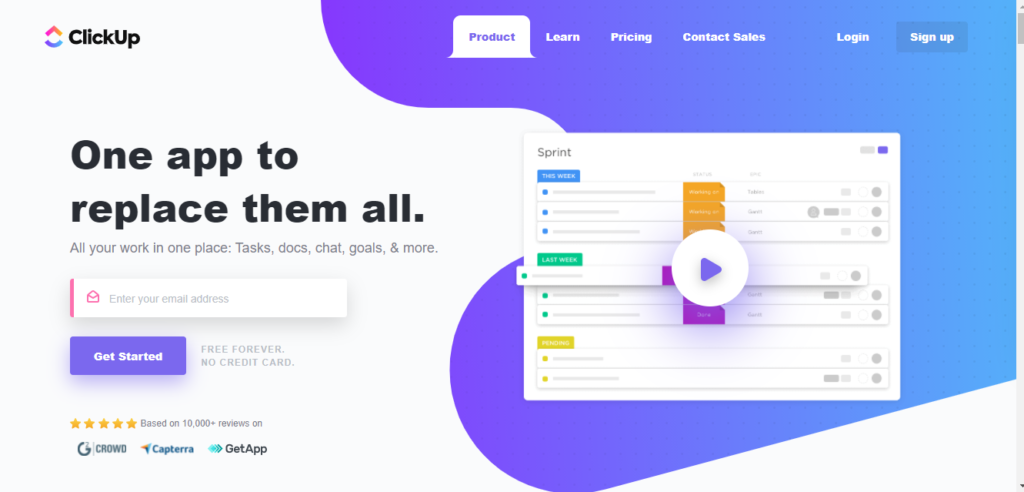
ClickUp is a feature-dense workspace that goes beyond Coda's doc-and-database approach by adding full project management, time tracking, goals, whiteboards, and 15+ views. For teams that found Coda too limited for structured project work, ClickUp provides the PM depth that document-based tools cannot match.
ClickUp Docs offer a writing experience comparable to Coda's, and custom fields provide database-like flexibility. The trade-off is complexity. ClickUp's feature volume creates a steep learning curve, and Brain AI is a paid add-on ($7-9/user/month) charged per paid workspace member .
Key features:
- 15+ views including List, Board, Gantt, Timeline, and Mind Maps
- Built-in docs, whiteboards, and real-time chat
- Time tracking and goal setting
- Custom fields, statuses, and workflow automations
- AI features available as add-on (Brain AI)
Limitations: Overwhelming interface with steep learning curve. AI features are paid add-ons ($7-28/user/month). No native CRM, invoicing, or client portal.
Pricing: Free plan available. Unlimited at $7/user/month. Business at $12/user/month.
4. Airtable: Best for Relational Databases
Airtable is a relational database platform with spreadsheet, Kanban, calendar, gallery, and timeline views. If your primary use of Coda was building relational tables and data workflows, Airtable offers deeper database capabilities with better performance at scale.
Airtable handles linked records, rollup fields, complex formulas, and automations with more power than Coda's table system. The Interface Designer lets you build custom apps on top of your data without code, similar to Coda's doc-as-app concept but with a purpose-built database engine underneath that does not degrade at 5,000 rows.
Key features:
- Relational databases with multiple view types
- Custom fields with formulas, rollups, and linked records
- Workflow automations with triggers and actions
- Interface Designer for building custom apps
- Extensive API and integrations ecosystem
Limitations: Expensive at scale. Team at $20/user/month, Business at $45/user/month . Free plan limited to 1,000 records per base. Not a document or wiki tool. Requires significant setup for project management use cases.
Pricing: Free plan with 1,000 records per base. Team at $20/user/month. Business at $45/user/month.
5. Monday.com: Best for Visual Workflows
Monday.com provides intuitive visual boards with drag-and-drop workflows, automations, and dashboards. For teams switching from Coda because they need structured project management without building everything from scratch in a document, Monday.com delivers a more guided, visual experience.
Monday.com is easier to onboard than Coda for non-technical users, with 200+ templates and a color-coded board system that requires zero formula knowledge. Teams are typically productive within a day rather than the weeks Coda's doc-as-app paradigm requires.
Key features:
- Customizable visual boards and dashboards with AI-powered automation
- 200+ templates for marketing, operations, and project workflows
- Time tracking and workload management
- Integrations with 40+ native tools plus Zapier
- Multiple views including Kanban, timeline, calendar, and chart
Limitations: CRM is a separate product with separate pricing. No invoicing, proposals, or contracts. Per-seat pricing scales steeply: Standard at $14/seat/month means a 30-person team pays $420/month for PM alone . Automation action limits can trigger overages on lower plans.
Pricing: Free for up to 2 users. Basic at $12/seat/month. Standard at $14/seat/month. Pro at $27/seat/month.
6. Asana: Best for Structured Project Management
Asana is a purpose-built project management platform with timelines, portfolios, goals, and a workflow builder. It is the best Coda alternative for teams whose primary need is structured PM. Asana provides the task management depth that Coda's document-based approach cannot replicate.
Where Coda requires you to build project trackers inside documents using formulas and buttons, Asana gives you native task dependencies, milestones, portfolio views, and automated workflows out of the box.
Key features:
- Lists, boards, timelines, and calendar views
- Portfolio view for managing multiple projects
- Goals and milestones for progress tracking
- Custom rules for automating task workflows
- 260+ integrations
Limitations: No docs, wiki, or knowledge base. Expensive at scale: Advanced plan at $24.99/user/month . Tasks limited to a single assignee. No CRM, invoicing, or client portal.
Pricing: Free for up to 15 users (limited). Starter at $10.99/user/month. Advanced at $24.99/user/month.
7. Slite: Best for Team Knowledge Base
Slite is a focused team knowledge base with AI-powered search that helps teams find answers across documentation instantly. If you used Coda primarily for internal docs and team knowledge, Slite provides a cleaner, faster alternative that concentrates on making information easy to create, organize, and retrieve.
Slite's AI Ask feature lets team members query the knowledge base in natural language and get sourced answers, a faster path to information than searching through Coda's doc hierarchy.
Key features:
- AI-powered search and Q&A across all documents
- Channels for organizing knowledge by team or topic
- Templates for onboarding, meeting notes, and processes
- Integrations with Slack, Google Drive, and Asana
- Real-time collaborative editing
Limitations: Not a project management tool. No task views, Gantt charts, or databases. Limited customization compared to Coda's formula-driven approach. Smaller feature set overall.
Pricing: Free plan available. Standard at $8/user/month. Premium at $12.50/user/month.
8. Confluence: Best for Enterprise Wikis
Confluence is Atlassian's enterprise documentation platform. It is the best Coda alternative for organizations already using Jira, as the deep two-way integration between Confluence pages and Jira issues creates a documentation layer that Coda's Packs cannot match for development workflows.
Confluence's spaces, page trees, and structured templates provide more organizational rigor than Coda's flat doc model, which is an advantage for large teams that need consistent documentation standards.
Key features:
- Organized spaces with page hierarchies and templates
- Deep two-way Jira integration
- AI-powered search and content suggestions
- Whiteboards for visual collaboration
- Enterprise-grade permissions and compliance controls
Limitations: Interface feels dated compared to Coda's modern design. Tightly coupled to the Atlassian ecosystem, less useful without Jira. Page editor is less flexible than Coda's block-based approach.
Pricing: Free for up to 10 users. Standard at $5.75/user/month. Premium at $11/user/month .
9. Nuclino: Best Lightweight Wiki
Nuclino is a fast, minimal wiki tool that focuses on instant page creation, real-time collaboration, and a clean graph view for connecting knowledge. For teams that found Coda too complex for basic documentation needs, Nuclino offers a lightweight alternative that loads instantly and requires no setup.
Nuclino strips away the formula engine, automation builder, and database complexity to deliver a wiki that just works. The graph view helps visualize how knowledge connects across your workspace.
Key features:
- Instant wiki with real-time collaborative editing
- Graph view for visualizing knowledge connections
- Board, list, and table views for organizing content
- Integrations with Slack, Google Drive, and Figma
- Markdown support and fast page creation
Limitations: Limited project management capabilities. No Gantt charts, time tracking, or task dependencies. Small feature set compared to Coda. Free plan capped at 50 items.
Pricing: Free for up to 50 items. Standard at $5/user/month. Premium at $10/user/month.
10. Smartsheet: Best for Spreadsheet Power Users
Smartsheet is a grid-based work management platform that combines the familiarity of spreadsheets with project management features like Gantt charts, automations, and reporting. If you used Coda's tables as your primary interface and prefer spreadsheet-style workflows, Smartsheet offers a more performant, purpose-built alternative.
Smartsheet handles large datasets better than Coda's document-based tables and provides enterprise-grade reporting, resource management, and governance controls. Its 20,000-row limit per sheet is substantially higher than Coda's free-plan 1,000-row cap, and performance remains stable at those volumes .
Key features:
- Grid, Gantt, card, and calendar views
- Workflow automations with conditional logic
- Dashboards and reporting for real-time visibility
- Resource management and capacity planning
- Enterprise-grade security and governance
Limitations: No free plan. 20,000 row limit per sheet. Interface can feel rigid compared to Coda's flexible doc model. No CRM, invoicing, or client portal.
Pricing: Pro at $9/user/month. Business at $19/user/month. Enterprise pricing on request .
11. Basecamp: Best for Simple Team Collaboration
Basecamp is a deliberately simple collaboration tool with message boards, to-dos, docs, and check-ins. It is the opposite of Coda. Where Coda gives you infinite flexibility to build custom workflows, Basecamp gives you a pre-structured workspace that works out of the box with zero configuration.
For teams that found Coda's formula-driven approach too technical and spent more time building docs than doing actual work, Basecamp removes that complexity entirely. The flat-rate Pro Business plan at $349/month for unlimited users makes it attractive past 25 team members .
Key features:
- Message boards and group chat per project
- To-do lists with assignments and deadlines
- Document and file sharing
- Hill Charts for visual progress tracking
- Automatic check-ins for async team updates
Limitations: No Gantt charts, task dependencies, or advanced project views. No databases or flexible data structures. No CRM, invoicing, or client portal. Very basic project management.
Pricing: Free for 1 project. Plus at $15/user/month. Pro Business at $349/month flat rate for unlimited users.
12. Taskade: Best for AI-First Workspaces
Taskade is an AI-native workspace that combines task management, docs, mind maps, and video chat with built-in AI agents. It is the best Coda alternative for teams that want AI deeply integrated into every workflow, not as a feature add-on but as a core part of how the tool operates.
Taskade's AI agents can generate project structures, break down tasks, summarize notes, and automate repetitive workflows. Unlike Coda's automation limits on the free plan (35 time-based and 100 event-based per month), Taskade builds AI into its core experience.
Key features:
- AI agents for task generation, summarization, and automation
- Multiple views: list, board, mind map, org chart, and calendar
- Real-time video chat and screen sharing built in
- Collaborative docs with nested task structures
- Templates powered by AI generation
Limitations: Less mature ecosystem than Coda. Limited third-party integrations compared to Coda's 450+ Packs. Smaller community and template library. Not suited for relational database workflows.
Pricing: Free plan available. Pro at $8/user/month. Business at $16/user/month .
How These 12 Platforms Compare on Core Features
We evaluated each platform across 7 capabilities that Coda users ask about most when searching for alternatives: docs/wiki, databases, project management, CRM, invoicing, time tracking, and client portal.
| Platform | Docs/Wiki | Databases | PM Depth | CRM | Invoicing | Time Tracking | Client Portal | Price From |
|---|---|---|---|---|---|---|---|---|
| Agiled | Yes (wikis on Pro) | Yes | Full | Yes | Yes | Yes | Yes | $24/mo billed annually |
| Coda | Yes | Yes | Simulated | No | No | No | No | Free |
| Notion | Yes | Yes | Basic | No | No | No | No | Free |
| ClickUp | Yes | Basic | Full | Template | No | Yes | No | Free |
| Airtable | No | Yes | Basic | No | No | No | No | Free |
| Monday.com | No | Basic | Full | Add-on | No | Yes | No | Free |
| Asana | No | No | Full | No | No | No | No | Free |
| Slite | Yes | No | No | No | No | No | No | Free |
| Confluence | Yes | No | No | No | No | No | No | Free |
| Nuclino | Yes | No | No | No | No | No | No | Free |
| Smartsheet | No | Yes | Full | No | No | Yes | No | $9/user |
| Basecamp | Basic | No | Basic | No | No | No | No | Free |
| Taskade | Yes | No | Basic | No | No | No | No | Free |
The table reveals a consistent pattern: most Coda alternatives excel in either docs/wikis or databases or project management, but rarely all three. Almost none include CRM, invoicing, time tracking, or a client portal. Agiled is the only platform that covers all seven columns natively in one workspace.
The Real Cost of Building Business Tools Inside Coda
Coda's Doc Maker pricing appears affordable in isolation. But teams that need CRM, invoicing, and project management end up paying for Coda plus two or three additional tools. Here is what a 10-person team actually pays annually when Coda is the doc layer and external tools fill the business operations gaps:
| Stack Configuration | Monthly Cost (10 users) | Annual Cost | Features Covered |
|---|---|---|---|
| Coda Pro only | $100 | $1,200 | Docs, tables, basic automations |
| Coda Pro + HubSpot Starter | $280 | $3,360 | Docs, tables, CRM |
| Coda Pro + HubSpot + FreshBooks | $450 | $5,400 | Docs, tables, CRM, invoicing |
| Coda Pro + HubSpot + FreshBooks + Asana | $560 | $6,720 | Docs, tables, CRM, invoicing, PM |
| Agiled Business + 3 extra seats | $159 | $1,908 | Docs, tables, CRM, invoicing, PM, client portal, time tracking, HR |
The break-even math is clear. A 10-person team on Coda Pro paying for the three most commonly needed external tools spends $6,720/year and still manages four separate logins, four separate billing cycles, and four disconnected data silos. Agiled covers all of this, plus client portal, time tracking, and HR, for $1,908/year on Business annual billing (7 included seats plus 3 extra seats). That is a 72% cost reduction with a single login.
For teams using Coda's free plan to avoid per-user costs, the math changes but the conclusion does not. The free plan caps at 50 objects and 1,000 rows per shared doc. Most teams hit these limits within weeks and either upgrade to Pro or start splitting data across multiple docs, creating the cross-doc complexity that triggers the 125MB API limit.
When Coda Is Still the Right Choice
Not every team needs to switch. Coda remains the right tool in specific situations:
- Your team builds internal tools inside documents. If you use Coda to create formula-driven apps, custom dashboards, and interactive documents for internal use, no alternative replicates this doc-as-app paradigm as well. Notion and Airtable come closest but lack Coda's formula engine depth.
- You only need Doc Maker pricing for a few users. If you have 2-3 Doc Makers and 50+ editors/viewers, Coda's pricing model is genuinely affordable. The savings disappear when most team members need to create or edit document structure.
- You are heavily invested in Coda Packs. Teams that rely on specific Pack integrations (Salesforce sync, Jira sync, Slack Packs) have configuration investment that does not transfer. Evaluate whether the migration cost exceeds the annual savings.
- Your documents stay under 5,000 rows. Coda performs well at moderate scale. Teams that do not push the row limits or 125MB API cap experience a responsive, flexible workspace. The performance complaints hit hardest above these thresholds.
- You want to see where the Grammarly acquisition goes. The combined Grammarly-Coda platform may deliver compelling AI-native features that do not exist yet. Early adopters betting on that trajectory have reason to stay.
If none of these apply, you will likely get more value from one of the 12 alternatives above.
Our Cross-Platform Analysis: Doc Builders vs. Business Platforms
To produce the comparison above, we cross-referenced feature pages, pricing pages, and recent user reviews on Capterra, G2, and Reddit for all 12 platforms (as of April 2026). We specifically tested how each tool handles the three most common Coda use cases: document collaboration, relational data management, and workflow automation.
What the data shows:
- Only 1 platform (Agiled) offers CRM, invoicing, client portal, time tracking, AND docs alongside full project management at no extra per-feature cost. No other Coda alternative covers all seven capability categories natively.
- Coda's "free editors" model is attractive on paper but creates hidden costs. In our analysis of Coda community forum discussions, the most frequent billing complaint is users unexpectedly triggering Doc Maker status by creating a page or table, resulting in surprise charges (Coda community forum).
- The 125MB API limit is a hard ceiling that affects all plans, including Enterprise. Teams that build interconnected systems using Cross-doc, Zapier, or the Coda API hit this wall without warning when docs grow through attachment accumulation, Pack sync data, or table expansion. Once exceeded, those integrations silently stop working .
- Tools that match Coda's doc-first approach (Notion, Nuclino, Slite) trade database depth for usability. Tools that match Coda's database capabilities (Airtable, Smartsheet) sacrifice the document layer entirely. Agiled is the only platform that combines both a document system and relational data with purpose-built business operations tools.
- The cost-per-capability ratio for a 10-person team on Coda Pro ($100/month, covering docs and tables only) is approximately $50/month per capability category (2 of 7). Agiled Business with 3 extra seats ($159/month billed annually) delivers 7/7 coverage at approximately $22.71/month per capability category at the same team size.
Frequently Asked Questions
How much does Coda cost in 2026?
Coda uses a Doc Maker pricing model where only users who create or edit document structure pay. Plans are Free (50 objects, 1,000 rows per shared doc, 7-day version history), Pro at $10/Doc Maker/month (billed annually) or $12/month billed monthly, Team at $30/Doc Maker/month (billed annually) or $36/month billed monthly, and Enterprise with custom pricing . Editors and viewers are free on all plans. Personal docs that are not shared have no size limits.
Which Coda alternative is best for agencies?
Agiled is the best Coda alternative for agencies because it combines project management, CRM, invoicing, proposals and contracts, time tracking, and a client portal in one platform. Coda lacks all of these natively, forcing agencies to build document-based workarounds or rely on three to four external tools. ClickUp is a second option if your primary need is project management with docs, but it also lacks CRM, invoicing, and a client portal.
Can I migrate from Coda to another tool?
Most alternatives support importing Coda content via CSV exports. Coda allows you to export tables as CSV files and pages as Markdown or PDF. Tools like Notion and Airtable can import CSV data directly. For complex docs with cross-doc references, formulas, and Pack integrations, plan for manual rebuilding of the logic layer since those features are Coda-specific. Start migration by exporting your most active tables first, verify the import quality, then move supporting documents and historical data.
Is Coda good for project management?
Coda can simulate project tracking using tables, views, and buttons inside documents, but it is not a dedicated project management tool. It lacks native Gantt charts, task dependencies, milestones, time tracking, resource management, and burn-down charts. Teams with structured PM needs typically find that building project workflows inside Coda documents creates fragile systems that slow down at scale and are difficult for non-technical users to maintain. For purpose-built PM, ClickUp, Asana, Monday.com, or Agiled are stronger choices.
What happened with the Grammarly acquisition of Coda?
Grammarly announced its acquisition of Coda in December 2024, with Coda CEO Shishir Mehrotra becoming the new CEO of Grammarly. Existing Coda docs, pricing, and features remain unchanged, but the product roadmap is shifting toward AI-native productivity combining Grammarly's writing assistance with Coda's document platform . Teams using Coda purely for document collaboration may benefit from this direction. Teams that built business operations workflows on Coda should evaluate whether the combined platform will continue investing in those use cases.
Does Coda work offline?
No. Coda requires an active internet connection for all work. There is no offline mode or local caching. If connectivity drops, any unsaved changes may be lost. Teams that need offline access should consider Notion (limited offline support on desktop and mobile), ClickUp (offline mode on desktop), or local-first alternatives.
Related Comparisons:
- Best Notion Alternatives
- Best Airtable Alternatives
- Best ClickUp Alternatives
- Best Monday.com Alternatives
- Best Asana Alternatives
- Best Smartsheet Alternatives
For more resources, browse the Agiled resource hub.
Ready to streamline your business?
Try Agiled free for 14 days and see how our all-in-one platform can help you manage your business more efficiently.