
12 Best Trello Alternatives in 2026
- Why Teams Switch From Trello in 2026
- 1. Agiled -- Best All-in-One Trello Alternative
- 2. ClickUp -- Best Feature-Rich Alternative
- 3. Asana -- Best for Cross-Functional Teams
- 4. Monday.com -- Best for Visual Workflows
- 5. Notion -- Best for Docs + Tasks
- 6. Basecamp -- Best for Simple Team Communication
- 7. Wrike -- Best for Enterprise Project Management
- 8. Hive -- Best for AI Task Management
- 9. Teamwork -- Best for Client Work
- 10. ProofHub -- Best Flat-Rate PM
- 11. Airtable -- Best Database-Driven Alternative
- 12. Todoist -- Best Lightweight Task Manager
- What Trello Actually Costs vs. an All-in-One Platform
- How These 12 Platforms Compare on Core Capabilities
- When Trello Is Still the Right Choice
- What Is the Best Trello Alternative in 2026?
- Frequently Asked Questions
Trello: Free-$17.50/user/mo. Atlassian pivoting Trello from team PM to personal productivity after May 2025 redesign backlash. No CRM, invoicing, or Gantt charts. Top pick: Agiled (from $24/mo billed annually after a 14-day free trial, all-in-one).
Trello is a Kanban-style task visualization tool owned by Atlassian. Its board-card-list system makes dragging tasks between columns intuitive, and the free plan includes unlimited cards and unlimited Power-Ups per board . Paid plans run from $5/user/month (Standard) to $17.50/user/month (Enterprise, 25-user minimum, billed annually) . But in May 2025, Atlassian shipped a redesign that users on the r/Trello subreddit and the Atlassian Community forum called "the worst software update in tech history," accumulating nearly 200 complaint posts . An Atlassian product manager confirmed Trello is "changing to become an entirely different product," pivoting from team project management to personal productivity and pointing teams toward Jira instead .
If your team needs Gantt charts, task dependencies, built-in time tracking, CRM, invoicing, or a client portal, Trello was never designed to deliver those -- and Atlassian has now confirmed it never will. Here are 12 tools that fill the gaps Trello leaves open.
Quick decision guide:
| If You Need | Best Pick | Starting Price |
|---|---|---|
| Everything in one platform | Agiled | $24/mo billed annually |
| Maximum feature density | ClickUp | Free |
| Cross-functional coordination | Asana | Free |
| Visual workflows for non-technical teams | Monday.com | Free |
| Docs + tasks in one workspace | Notion | Free |
| Simple async team communication | Basecamp | $15/user |
| Enterprise-grade PM | Wrike | Free |
| Flat-rate unlimited users | ProofHub | $45/month |
Why Teams Switch From Trello in 2026
Trello earned its reputation through simplicity, but three categories of friction now push teams away: the 2025 redesign, structural feature gaps, and Atlassian's strategic pivot.
- The May 2025 redesign broke established workflows. Atlassian overhauled Trello's interface on May 22, 2025, removing the persistent left-hand sidebar, hiding actions like adding members behind extra clicks, and eliminating the ability to assign due dates to individual checklist items. The 11,000-member r/Trello subreddit filled with complaints. The Atlassian Community forum accumulated nearly 200 posts in a single thread, with users calling it "the worst update in tech history" .
- Atlassian confirmed Trello is pivoting away from team PM. An Atlassian product manager stated Trello is "changing to become an entirely different product," repositioning it as a personal productivity tool and directing teams to Jira for collaboration. The new Trello Planner feature integrates with Google Calendar for individual task scheduling, not team project management .
- No built-in time tracking, invoicing, or CRM at any price. Trello has no native way to track hours, generate invoices, or manage client relationships. Every business function beyond task boards requires a separate tool with separate billing.
- No Gantt charts, dependencies, or resource management. Trello offers no native Gantt view, no task dependencies, no milestones, and no workload capacity planning. Complex project scheduling requires third-party Power-Ups that add their own pricing and reliability concerns.
- Limited views on lower tiers. Timeline, Calendar, and Dashboard views require Premium ($10/user/month) or higher. Standard plan users are restricted to boards, lists, and a basic table view .
- Free plan caps collaborators at 10. Since spring 2024, free workspaces are limited to 10 members and 10 boards. Automation runs are capped at 250/month. Teams hit these limits fast .
- Enterprise requires a 25-user minimum. SSO and SCIM provisioning are only available on Enterprise ($17.50/user/month), which mandates at least 25 seats -- a $5,250/year minimum commitment for security features that many tools include on lower tiers .
1. Agiled -- Best All-in-One Trello Alternative
Agiled is the most complete Trello alternative because it matches Trello's Kanban simplicity and adds everything Trello lacks -- native CRM, invoicing, proposals and contracts, client portals, time tracking, HR (Pro and above), and AI agents -- all in a single platform.
Trello does one thing well: visual task boards. But the moment your workflow extends beyond moving cards between lists -- tracking client relationships, sending invoices, writing proposals, managing team hours -- you need to bolt on separate tools. Agiled eliminates that fragmentation. A lead enters through CRM, receives a proposal from Documents, signs a contract, becomes an active project on a Kanban board in Projects, tracks time against tasks, and gets invoiced from Finance -- without switching apps or paying for Power-Ups.
For agencies, freelancers, and growing service businesses, this matters most. Trello's Power-Up ecosystem can approximate some features, but each one adds a separate vendor, a separate login, and a separate monthly bill. Agiled's Kanban boards are just as intuitive as Trello's, but they sit inside a full business platform. Time tracked on tasks automatically flows into billable invoices. CRM deal stages connect directly to project creation. Client portals give clients a space to view project progress, approve deliverables, and pay invoices (branded on Business, or with the Branded Client Portal add-on). AI agents -- included at no extra cost -- draft proposals, summarize project updates, and generate reports without the per-seat AI fees that ClickUp ($9/user/month for Brain) or other platforms charge .
What makes Agiled the top pick:
- Kanban boards -- Drag-and-drop boards with the same visual workflow Trello is known for, plus Gantt charts, task dependencies, and milestones via Projects
- Time tracking -- Built-in timer that converts tracked hours into billable invoices automatically
- CRM -- Visual pipelines, contact management, deal tracking, and activity timelines via CRM
- Invoicing and finance -- Professional invoices, estimates, and expense tracking (financial reports on Pro and above, recurring billing on Business and above)
- Proposals and contracts -- Create, customize, and e-sign documents with reusable templates
- Client portal -- Portal where clients view project progress, approve deliverables, and make payments (branded on Business, or with the Branded Client Portal add-on on Starter and Pro)
- HR -- Employee management, attendance and leave tracking (Pro and above)
- Workflow automation -- Visual builder with triggers, conditions, and actions -- no Power-Up required (Pro and above)
- Agiled AI -- Draft proposals, emails, and reports with context-aware AI -- included from Starter (AI Workers on Scale)
- Brand customization -- Custom branding for your client-facing portal and documents (Business and above, or the Branded Client Portal add-on on Starter and Pro)
Pricing: There is no free plan. Starter is $29/month or $24/month billed annually for 1 seat. Pro is $69/month or $59/month billed annually for 3 seats. Business is $129/month or $99/month billed annually for 7 seats. Scale is $249/month or $199/month billed annually for 15 seats. Extra seats are $20/seat/month on Pro, Business and Scale. New workspaces start with a 14-day free trial that includes Business features. See the Agiled pricing page.
Why choose Agiled over Trello: Trello is a task visualization tool that requires 3-5 additional subscriptions to run a service business. Agiled provides CRM, invoicing, project management, proposals, contracts, a client portal, and HR in one platform at a fraction of the cost, with no desktop installation, no consultant fees, and no annual lock-in.
2. ClickUp -- Best Feature-Rich Alternative
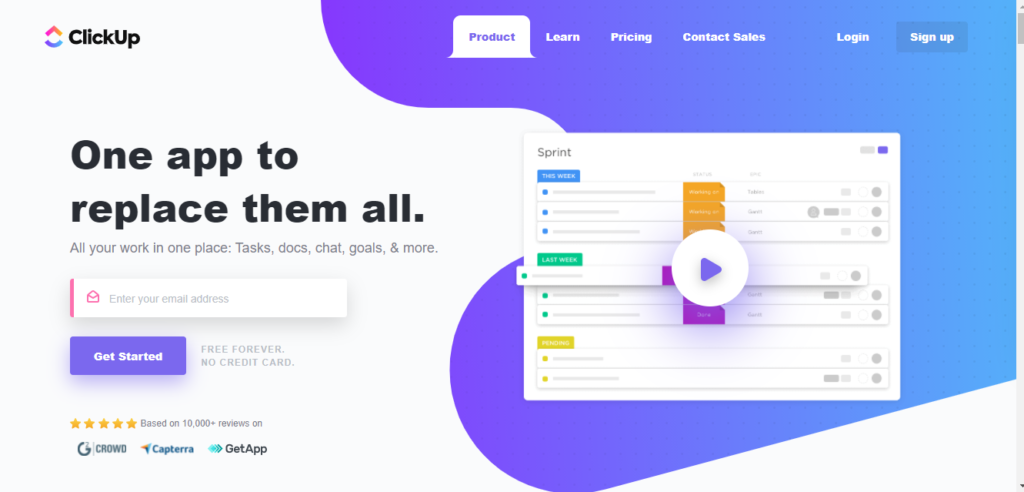
ClickUp is one of the most feature-dense project management platforms available. It replaces Trello's single-view approach with 15+ views, built-in docs, whiteboards, goals, and deep customization -- making it the go-to for teams that want maximum flexibility without Trello's Power-Up dependency.
Key features:
- 15+ views including List, Board, Gantt, Timeline, and Mind Maps
- Built-in docs, whiteboards, and chat
- Custom fields, statuses, and automations
- Time tracking and goal setting
- Dashboards with real-time reporting
Limitations: The sheer number of features creates a steep learning curve. Teams that just want a cleaner Kanban board may find ClickUp overwhelming. Brain AI costs an additional $9/user/month on top of base pricing . No native CRM, invoicing, or client portal.
Pricing: Free plan available. Unlimited at $7/user/month (annual). Business at $12/user/month (annual). Monthly billing runs $10 and $19 respectively .
3. Asana -- Best for Cross-Functional Teams
Asana is a structured project management tool known for its clean interface and workflow automation. It works well for cross-functional teams that need to coordinate work across departments without Trello's view limitations or the redesign instability.
Key features:
- Lists, boards, timelines, and calendar views
- Custom rules for automating task workflows
- Goals and milestones for progress tracking
- Portfolio view for managing multiple projects
- 260+ integrations
Limitations: No native CRM, invoicing, or time tracking. Tasks can only have a single assignee. Pricing scales steeply -- Advanced plan is $24.99/user/month .
Pricing: Free for up to 10 users (personal tasks only). Starter at $10.99/user/month. Advanced at $24.99/user/month .
4. Monday.com -- Best for Visual Workflows
Monday.com offers intuitive, color-coded boards with AI-powered automation. It appeals to non-technical teams that want more visual flexibility than Trello's card-based system without the complexity of tools like ClickUp.
Key features:
- Customizable visual boards and dashboards
- AI features for task automation and data extraction
- 200+ templates for different workflows
- Time tracking and workload management
- Integrations with 40+ tools
Limitations: CRM is a separate product (Monday Sales CRM) with its own pricing. No invoicing, proposals, or contracts built in. Per-seat pricing adds up quickly -- Standard is $12/user/month with action limits on automations .
Pricing: Free for up to 2 users. Basic at $9/seat/month. Standard at $12/seat/month. Pro at $19/seat/month .
5. Notion -- Best for Docs + Tasks
Notion combines documentation, wikis, databases, and lightweight project management in one workspace. It is popular with startups and knowledge-heavy teams that need Kanban boards alongside structured documentation -- something Trello does not support natively and is moving further away from with its personal productivity pivot.
Key features:
- Flexible databases for task and project tracking
- Built-in wikis and documentation
- Templates for every workflow
- AI-powered writing and summaries included in paid plans
- Real-time collaboration
Limitations: Not purpose-built for project management -- lacks Gantt charts, resource management, time tracking, and task dependencies. Better for organizing information than managing complex projects. No CRM, invoicing, or client portal.
Pricing: Free plan available. Plus at $10/user/month. Business at $20/user/month .
6. Basecamp -- Best for Simple Team Communication
Basecamp takes a deliberately simple approach: message boards, to-do lists, and group chat per project. It replaces Trello's cards with structured discussions and async updates, making it ideal for remote teams that value communication over granular task tracking.
Key features:
- Message boards and group chat per project
- To-do lists with assignments and deadlines
- File storage and document sharing
- Schedule and milestone tracking
- Hill Charts for visual progress tracking
Limitations: No Gantt charts, time tracking, or advanced task dependencies. No CRM, invoicing, or client portal. Limited project views -- no Kanban boards, which means you lose Trello's core strength.
Pricing: $15/user/month. Flat-rate Pro Unlimited plan at $299/month for unlimited users .
7. Wrike -- Best for Enterprise Project Management
Wrike is an enterprise-grade project management platform with Gantt charts, proofing workflows, resource management, and custom workflows. It is built for teams that need the depth and scalability Trello cannot provide -- and unlike Trello, Wrike is not pivoting away from team project management.
Key features:
- Custom workflows and request forms
- Real-time Gantt charts and workload management
- Proofing and approval workflows for creative assets
- Time tracking and budget calculation
- Cross-tagging for multi-department visibility
Limitations: Complex interface with a steep learning curve. Many features are gated behind Business and Enterprise plans. No CRM, invoicing, or client portal .
Pricing: Free plan available. Team at $10/user/month. Business at $24.80/user/month. Enterprise pricing on request .
8. Hive -- Best for AI Task Management
Hive offers multiple project views alongside AI-powered task management and content generation. It sits between Trello's simplicity and ClickUp's complexity, making it a balanced choice for mid-size teams that want AI features without ClickUp's $9/user/month add-on cost.
Key features:
- Kanban, Gantt, calendar, table, and portfolio views
- AI tools for task summaries and content creation
- Built-in time tracking and timesheets
- Automations with triggers and actions
- Integrations with 1,000+ apps
Limitations: Smaller ecosystem and community than Trello, Asana, or Monday.com. Some advanced features require higher-tier plans. No CRM, invoicing, or client portal .
Pricing: Free plan available. Starter at $5/user/month. Teams at $12/user/month .
9. Teamwork -- Best for Client Work
Teamwork is built for agencies and client services teams with project management, time tracking, invoicing, and client access. It offers the profitability tracking and client-facing features that Trello lacks entirely -- and that Trello's personal productivity pivot makes even less likely to arrive.
Key features:
- Project templates and milestone tracking
- Profitability tracking per client and project
- Built-in time tracking and invoicing
- Client user access for project transparency
- Resource workload management
Limitations: Interface feels dated compared to modern tools. No built-in CRM, proposals, or contracts. Client access is project-level visibility rather than a full branded portal .
Pricing: Free for up to 5 users. Deliver at $13.99/user/month. Grow at $25.99/user/month .
10. ProofHub -- Best Flat-Rate PM
ProofHub offers project management and collaboration at a flat monthly rate with no per-user pricing. For growing teams tired of Trello's per-seat model or the Enterprise plan's 25-user minimum, ProofHub's unlimited-user pricing is its biggest draw.
Key features:
- Task management with Kanban boards and Gantt charts
- Proofing and approval workflows for creative files
- Custom workflows and custom roles
- Time tracking and timesheets
- Discussions and group chat
Limitations: Dated interface compared to modern PM tools. No CRM, invoicing, or client portal. Limited integrations compared to Trello's Power-Up ecosystem .
Pricing: Essential at $45/month (flat rate, unlimited users). Ultimate Control at $89/month (flat rate, unlimited users) .
11. Airtable -- Best Database-Driven Alternative
Airtable combines spreadsheet flexibility with relational database power. It replaces Trello's flat card system with structured, linked data -- ideal for teams that need custom workflows and data relationships beyond what boards can represent.
Key features:
- Grid, Kanban, Calendar, Gallery, and Timeline views
- Custom fields with formulas and linked records
- Workflow automation with triggers and actions
- Interface designer for custom apps
- API and extensive integrations
Limitations: Requires significant setup to use for project management. Steep learning curve for non-technical users. No native time tracking, invoicing, or client management. Expensive -- Team plan starts at $20/user/month .
Pricing: Free plan available. Team at $20/seat/month. Business at $45/seat/month .
12. Todoist -- Best Lightweight Task Manager
Todoist is a minimalist task manager that replaces Trello's visual boards with fast, text-driven task capture. With Trello's own pivot toward personal productivity, Todoist is now a direct competitor -- but one that has been purpose-built for individual task management from the start.
Key features:
- Task management with projects, labels, and filters
- Natural language input for dates and priorities
- Recurring tasks and reminders
- Kanban board view alongside list view
- Cross-platform apps (web, desktop, mobile)
Limitations: Very basic as a project management tool -- no Gantt charts, dependencies, milestones, or resource management. No CRM, invoicing, or team collaboration features beyond task comments .
Pricing: Free plan available. Pro at $4/month. Business at $6/user/month .
What Trello Actually Costs vs. an All-in-One Platform
We calculated the total cost of ownership for a 5-person service team using Trello Premium as the project management backbone vs. using Agiled as a single platform, based on published pricing as of April 2026.
Trello Premium + external tools (5-person service team):
| Cost Component | Monthly Cost | Annual Cost |
|---|---|---|
| Trello Premium (5 users) | $50 | $600 |
| CRM (Pipedrive Advanced, 5 users) | $195 | $2,340 |
| Time tracking (Harvest Pro, 5 users) | $55 | $660 |
| Invoicing (FreshBooks Lite) | $23 | $276 |
| Proposal tool (PandaDoc Essentials, 5 users) | $95 | $1,140 |
| Total | $418 | $5,016 |
Agiled Business (same 5-person team):
| Cost Component | Monthly Cost | Annual Cost |
|---|---|---|
| Agiled Business (5 users, annual billing) | $99 | $1,188 |
| Total | $99 | $1,188 |
That is five disconnected platforms with five logins, no shared data, and five separate bills vs. one platform with everything connected. The Agiled team pays $319/month ($3,828/year, 76%) less and gets more: CRM, invoicing, project management, proposals, contracts, time tracking, a client portal, HR, and AI agents. Data flows between modules automatically: a tracked hour becomes an invoice line item, a closed deal creates a project, and a completed milestone triggers a billing event. With the Trello stack, time tracked in Harvest must be manually reconciled with invoicing in FreshBooks, project milestones in Trello have no connection to your client records in Pipedrive, and proposals in PandaDoc are entirely siloed.
How These 12 Platforms Compare on Core Capabilities
| Platform | Kanban | Gantt | Time Tracking | CRM | Invoicing | Starting Price |
|---|---|---|---|---|---|---|
| Agiled | Yes | Yes | Yes | Yes | Yes | $24/mo billed annually |
| ClickUp | Yes | Yes | Yes | Template | No | Free |
| Asana | Yes | Yes | No | No | No | Free |
| Monday.com | Yes | Yes | Yes | Add-on | No | Free |
| Notion | Yes | No | No | No | No | Free |
| Basecamp | No | No | No | No | No | $15/user |
| Wrike | Yes | Yes | Yes | No | No | Free |
| Hive | Yes | Yes | Yes | No | No | Free |
| Teamwork | Yes | Yes | Yes | No | Yes | Free |
| ProofHub | Yes | Yes | Yes | No | No | $45/month |
| Airtable | Yes | No | No | No | No | Free |
| Todoist | Yes | No | No | No | No | Free |
The table highlights a consistent gap: most tools on this list improve on Trello's project views and task management but leave CRM, invoicing, and client management to separate tools. Agiled is the only option that covers all five columns -- Kanban, Gantt, time tracking, CRM, and invoicing -- in one platform at no additional per-feature cost.
When Trello Is Still the Right Choice
Trello is not the wrong tool for everyone. It still works well in specific situations.
- You only need a simple personal Kanban board. If you are an individual tracking personal tasks or a very small team with straightforward workflows, Trello's free plan with unlimited cards and unlimited Power-Ups per board is genuinely useful.
- You are already deep in the Atlassian ecosystem. Teams running Jira for engineering and Confluence for documentation may benefit from Trello's Mirror cards and Jira integration for lightweight task management alongside heavier Atlassian tools.
- Your workflow is purely visual and linear. If tasks move through 3-5 columns and that is the extent of your project management needs -- no time tracking, no invoicing, no client management -- Trello handles that cleanly.
- Budget is the primary constraint. Trello's free plan, despite the 10-board and 10-collaborator limits, offers more visual flexibility than most free PM tools for very small teams.
If none of these apply -- especially if you are a service business, agency, or growing team that needs time tracking, client management, invoicing, or reporting alongside project boards -- the alternatives above will cost less and do more.
What Is the Best Trello Alternative in 2026?
Agiled is the best overall Trello alternative because it keeps the Kanban-board simplicity that Trello built its reputation on and adds everything Trello is missing -- and everything Atlassian has confirmed it will never add. Gantt charts, task dependencies, built-in time tracking, native CRM, invoicing, proposals and contracts, client portals, and AI agents are included from Starter, with HR and automation on Pro and above. No Power-Up fragmentation, no $9/user/month AI add-ons, no 25-user minimums for security features.
With Atlassian officially pivoting Trello toward personal productivity and away from team project management, teams that need a collaborative work platform should move sooner rather than later. Agiled offers the broadest feature set for agencies, freelancers, and service businesses -- projects, clients, and finances unified in one workspace.
Frequently Asked Questions
How much does Trello cost in 2026?
Trello offers a Free plan with unlimited cards, unlimited Power-Ups, up to 10 boards, and 10 collaborators per workspace. Paid plans are Standard at $5/user/month, Premium at $10/user/month, and Enterprise at $17.50/user/month (25-user minimum) -- all billed annually. Monthly billing runs approximately 17-20% higher. Timeline, Calendar, and Dashboard views require Premium or higher .
Is Trello still good for team project management?
Atlassian is officially repositioning Trello as a personal productivity tool, not a team project management platform. An Atlassian product manager confirmed Trello is "changing to become an entirely different product" and directed teams toward Jira for collaboration. The May 2025 redesign removed team-oriented features like checklist item assignments and added personal productivity features like the Planner calendar integration. Teams that need collaborative project management should evaluate tools that are investing in team features, not moving away from them .
Which tool is best for agencies leaving Trello?
Agiled and Teamwork are the best options for agencies. Agiled offers the most complete package with Kanban boards, CRM, invoicing, proposals, contracts, and client portals -- all in one platform with no minimum seat count. Teamwork excels at profitability tracking per client and project-level invoicing but lacks CRM, proposals, and a fully branded client portal.
Can I migrate from Trello to another tool?
Most alternatives support import from Trello. Trello allows JSON export of boards, and many platforms -- including Asana, ClickUp, and Monday.com -- offer dedicated Trello import wizards that map boards, lists, and cards automatically. Agiled provides import tools that make moving your project history and client records straightforward. Migration typically takes 1-3 days for teams with under 50 boards.
Is Trello good for complex projects?
Trello works well for simple, linear workflows where tasks move through stages on a Kanban board. It is not suited for complex projects requiring Gantt charts, task dependencies, milestones, resource allocation, or detailed reporting. With Atlassian's pivot toward personal productivity, these capabilities are less likely to arrive than ever. Teams managing multi-phase projects with cross-functional dependencies should use tools purpose-built for project management, like Agiled, ClickUp, or Asana.
For more useful information, browse the resources guide today!
Related Articles:
Ready to streamline your business?
Try Agiled free for 14 days and see how our all-in-one platform can help you manage your business more efficiently.