
12 Best Wrike Alternatives in 2026
- Why Teams Move Away From Wrike
- 1. Agiled: Best All-in-One Replacement for Wrike
- 2. Monday.com: Best for Visual Workflow Boards
- 3. ClickUp: Best for Feature Density on a Budget
- 4. Asana: Best for Clean Task Management
- 5. Smartsheet: Best for Spreadsheet-Native Teams
- 6. Basecamp: Best for Teams That Want Simplicity
- 7. Teamwork: Best for Client-Facing Agencies
- 8. Notion: Best for Documentation Plus Light Projects
- 9. Trello: Best for Simple Kanban Workflows
- 10. Jira: Best for Software Development Teams
- 11. Airtable: Best for Custom Data-Driven Workflows
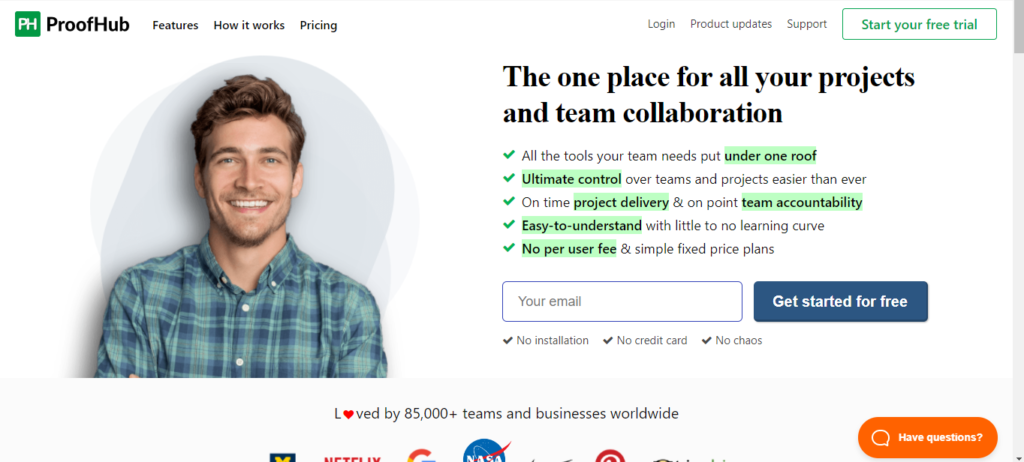
- 12. ProofHub: Best Flat-Rate Pricing for Large Teams
- How These 12 Platforms Compare on Core Features
- Our 7-Category Feature Scoring Analysis
- What 10-Person and 30-Person Teams Actually Pay
- When Wrike Is Still the Right Choice
- Frequently Asked Questions
Wrike Team costs $10/user/month (5-seat minimum = $50/month floor); Business costs $25/user/month. A 30-person Business team pays $9,000/year for PM alone with no CRM or invoicing. Top alternatives: Agiled (from $24/mo billed annually, all-in-one), Monday.com ($12/seat), ProofHub ($89/month flat for unlimited users).
Wrike delivers enterprise-grade project management with Gantt charts, cross-department workflows, proofing, request forms, and advanced resource planning. It handles complex, multi-team project orchestration well, particularly for marketing and professional services organizations running 50+ concurrent projects.
The problems surface quickly outside pure project tracking. Wrike's Team plan starts at $10/user/month with a mandatory 5-seat minimum, and Business jumps to $25/user/month . There is no built-in CRM, invoicing, proposals, contracts, or client portal at any price. Pinnacle and Apex plans require custom pricing with annual commitments. If your team needs more than project management or finds Wrike's cost and complexity excessive, these 12 alternatives cover the gaps Wrike leaves open.
Quick decision guide:
| If You Need | Best Pick | Starting Price |
|---|---|---|
| Everything in one platform | Agiled | $24/mo billed annually |
| Visual drag-and-drop boards | Monday.com | Free |
| Maximum PM feature depth | ClickUp | Free |
| Clean, focused task management | Asana | Free |
| Spreadsheet-style project tracking | Smartsheet | $9/user |
| Simplicity over features | Basecamp | $15/user |
| Agency client billing | Teamwork | Free |
| Docs + light project tracking | Notion | Free |
| Flat-rate unlimited users | ProofHub | $45/mo |
Why Teams Move Away From Wrike
Wrike works well for large organizations that need structured, top-down project control. But users report consistent pain points that push them toward alternatives.
- 5-seat minimums inflate costs for small teams. Wrike's Team and Business plans both require purchasing at least 5 seats . A 3-person team on Team pays $50/month ($16.67/user effective), not $30/month. On Business, that 3-person team pays $125/month ($41.67/user effective). The advertised $10/user rate only materializes at 5+ users.
- Business plan pricing compounds fast. At $25/user/month, a 20-person team pays $500/month ($6,000/year). A 30-person team pays $750/month ($9,000/year). Pinnacle and Apex require custom quotes and annual commitments, often exceeding $30-40/user/month based on reported figures from G2 and Capterra reviews .
- No CRM, invoicing, or financial tools. Wrike handles projects but not the business operations around them. Agencies that invoice clients, track sales pipelines, or send proposals need 2-3 additional platforms alongside Wrike. Adding HubSpot CRM ($15-50/user/month) plus an invoicing tool ($10-30/month) means $25-80/user/month in total stack cost on top of Wrike.
- Steep learning curve with a dense interface. Wrike's interface packs folders, projects, spaces, custom fields, request forms, cross-tagging, and multiple views into a single navigation. G2 and Capterra reviewers consistently cite 2-4 weeks of onboarding time before teams become productive. New hires face the same curve every time.
- Feature gating across tiers. Resource planning, advanced reporting, budget tracking, Gantt chart dependencies, and premium integrations require Business or Pinnacle plans. The free tier limits tasks to 200 . Teams often discover they need a higher tier only after committing to the platform.
- No client portal. There is no branded space for clients to view project progress, approve deliverables, or collaborate. Client-facing work requires guest access workarounds or separate tools. Agencies managing 10+ clients feel this gap most acutely.
- Customer support has shifted to email-only. Long-time users report that Wrike removed phone and Zoom support options, moving to email ticket systems that slow resolution times significantly .
1. Agiled: Best All-in-One Replacement for Wrike
Agiled is the most complete Wrike alternative because it combines full project management with native CRM, invoicing, proposals, contracts, client portals, HR (Pro and above), and AI agents in a single platform.
The gap between Wrike and Agiled is clearest in end-to-end business workflows. With Wrike, you manage projects well but need separate tools for every step before and after: a CRM for leads, a tool for proposals and contracts, an invoicing platform for billing, and a client portal for transparency. Agiled replaces that entire stack. A lead enters through CRM, receives a proposal via Documents, signs a contract with e-signatures, becomes an active project in Projects, tracks billable hours, and gets invoiced from Finance without switching platforms.
AI agents are included at no extra cost. Agiled's AI drafts proposals, summarizes project updates, and generates reports as part of the base subscription. For teams leaving Wrike due to cost, Agiled's 14-day free trial lets you test core functionality, and paid plans start at $24/month billed annually (Pro is $59/month billed annually for 3 seats) with no 5-seat minimum .
What sets Agiled apart from Wrike:
- Project management with Kanban boards, Gantt charts, task dependencies, milestones, and project templates via Projects
- Time tracking built in, converting tracked hours into billable invoices automatically
- CRM with visual pipelines, contact management, and deal tracking via CRM
- Invoicing and finance with estimates, expense tracking, and online payments (recurring billing on Business and above)
- Proposals and contracts with e-signatures and reusable templates
- Client portal where clients view project progress, approve deliverables, and make payments
- Workflow automation with visual builder, triggers, and conditions (Pro and above)
- Agiled AI for drafting proposals, emails, and reports, included from Starter (AI Workers on Scale)
- HR including attendance, leave tracking, and org charts (Pro and above)
Pricing: There is no free plan. Starter is $29/month or $24/month billed annually for 1 seat. Pro is $69/month or $59/month billed annually for 3 seats. Business is $129/month or $99/month billed annually for 7 seats. Scale is $249/month or $199/month billed annually for 15 seats. Extra seats are $20/seat/month on Pro, Business and Scale. New workspaces start with a 14-day free trial that includes Business features. See the Agiled pricing page.
2. Monday.com: Best for Visual Workflow Boards
Monday.com offers colorful, intuitive boards with drag-and-drop automation. It appeals to non-technical teams that prefer visual workflows over Wrike's dense, folder-based navigation.
Monday.com is simpler to set up than Wrike. Most teams are productive within a day rather than weeks. The 200+ templates cover marketing, operations, HR, and product workflows out of the box. The trade-off is depth: Monday.com lacks Wrike's advanced resource management and cross-tagging, and its CRM is a separate product (Monday CRM) that adds cost.
Key features:
- Customizable visual boards with 30+ column types and formula fields
- AI-powered automations for status updates, notifications, and task routing
- 200+ workflow templates for different departments
- Time tracking and workload management dashboards
- Native integrations with Slack, Zoom, Google Workspace, and 40+ tools
Limitations: Per-seat pricing scales similarly to Wrike. CRM is a separate product at $12/seat/month extra . No invoicing, proposals, or contracts built in. Guest access is limited on lower tiers.
Pricing: Free for up to 2 users. Basic at $12/seat/month. Standard at $14/seat/month. Pro at $24/seat/month .
3. ClickUp: Best for Feature Density on a Budget
ClickUp is the most feature-dense PM alternative to Wrike, with 15+ views, built-in docs, whiteboards, chat, goals, and time tracking. It appeals to power users who want to replace multiple tools in one workspace at a lower price point than Wrike Business.
ClickUp's Unlimited plan at $7/user/month undercuts Wrike Team ($10/user/month) while offering docs, whiteboards, and unlimited integrations that Wrike gates behind higher tiers . The learning curve is comparable to Wrike's, but ClickUp's free plan is more generous for evaluation.
Key features:
- 15+ views including List, Board, Gantt, Timeline, and Mind Maps
- Built-in docs, whiteboards, and real-time chat
- Custom fields, statuses, and automation recipes
- Native time tracking with billable/non-billable categorization
- Brain AI for task summaries and writing (add-on at $7-9/user/month)
Limitations: Can feel overwhelming due to feature density and layered configuration (spaces, folders, lists, views). No native CRM, invoicing, or client portal. Brain AI is an add-on charged per paid workspace member, not per user. Performance can slow on large workspaces.
Pricing: Free plan available. Unlimited at $7/user/month. Business at $12/user/month .
4. Asana: Best for Clean Task Management
Asana delivers clean, structured task management with less visual clutter than Wrike. Teams that find Wrike's interface too dense often choose Asana for its simpler navigation and portfolio views.
Asana's Starter plan at $10.99/user/month costs slightly more than Wrike Team but provides a more intuitive interface with 260+ integrations. The trade-off: no time tracking, no resource management below Enterprise, and the same gap as Wrike in CRM and invoicing.
Key features:
- Lists, boards, timelines, and calendar views with clean UI
- Custom rules for automating task workflows and status changes
- Goals and milestones for OKR-style progress tracking
- Portfolio view for managing multiple projects simultaneously
- 260+ native integrations including Slack, Salesforce, and Figma
Limitations: No CRM, invoicing, or time tracking built in. Single assignee per task creates workarounds for collaborative work. Resource management locked behind Enterprise pricing .
Pricing: Free for 1-2 users. Starter at $10.99/user/month. Advanced at $24.99/user/month .
5. Smartsheet: Best for Spreadsheet-Native Teams
Smartsheet offers a familiar spreadsheet interface for project management, making it the natural transition for teams currently using Excel alongside Wrike. If your team thinks in rows and columns rather than folders and boards, Smartsheet removes the learning curve Wrike imposes.
Smartsheet Pro at $9/user/month is cheaper than Wrike Team and includes Gantt charts, automated workflows, and dashboards . For organizations with deep Excel usage, the adoption time is measured in hours, not weeks.
Key features:
- Spreadsheet-style project tracking with familiar formulas and formatting
- Gantt charts, card views, and calendar views
- Automated workflows with conditional logic and alerts
- Resource management dashboards for capacity planning
- Enterprise-grade security, governance, and admin controls
Limitations: Interface feels less modern than dedicated PM tools. No Kanban boards as a primary view. No CRM, invoicing, or client portal. Higher-tier pricing for advanced features approaches Wrike Business levels.
Pricing: Pro at $9/user/month. Business at $19/user/month. Enterprise pricing on request .
6. Basecamp: Best for Teams That Want Simplicity
Basecamp is the deliberate opposite of Wrike: minimal configuration, no Gantt charts, no complex dependencies, and a flat-rate pricing model that eliminates per-user math entirely.
Basecamp Pro Unlimited at $349/month covers unlimited users . A 30-person team pays $11.63/user/month effective. A 50-person team pays $6.98/user/month. The crossover point where Basecamp beats Wrike Team on cost is 35 users ($349/month vs. $350/month). For teams that prioritize async communication over detailed project tracking, Basecamp removes 90% of Wrike's complexity.
Key features:
- Message boards and group chat per project for async communication
- To-do lists with assignments and deadlines
- File storage, document sharing, and automatic check-ins
- Hill Charts for progress visualization without Gantt complexity
- Schedule and milestone tracking with email notifications
Limitations: No Gantt charts, time tracking, resource management, or advanced task dependencies. No CRM or invoicing. Not suitable for teams managing complex, multi-phase projects with critical path analysis.
Pricing: $15/user/month. Flat-rate Pro Unlimited at $349/month for unlimited users .
7. Teamwork: Best for Client-Facing Agencies
Teamwork fills a specific gap Wrike leaves open: built-in time tracking, invoicing, and client access for agencies and professional services teams. Where Wrike stops at project delivery, Teamwork extends into profitability tracking and client billing.
Teamwork's Deliver plan at $13.99/user/month includes time tracking, client user access, and invoicing that Wrike does not offer at any price . Agencies managing 10+ clients with billable hours will find the invoicing and profitability features immediately valuable.
Key features:
- Project templates, milestone tracking, and subtask dependencies
- Profitability tracking per client and per project
- Built-in time tracking with billable/non-billable hours and invoicing
- Client user access for project transparency without full seat costs
- Resource workload management and utilization reporting
Limitations: No built-in CRM or sales pipeline management. Invoicing is basic compared to dedicated accounting tools. No proposals, contracts, or e-signatures. HR require separate tools.
Pricing: Free for up to 5 users. Deliver at $13.99/user/month. Grow at $25.99/user/month .
8. Notion: Best for Documentation Plus Light Projects
Notion combines docs, wikis, databases, and light project management in a flexible workspace. Teams that use Wrike primarily for tracking tasks alongside heavy documentation often find Notion covers both needs with less overhead.
Notion is not purpose-built for PM. It lacks Gantt charts, resource management, and time tracking. But its database views (table, board, calendar, timeline, gallery) handle task tracking for teams under 30 people, and its documentation capabilities far exceed anything Wrike offers.
Key features:
- Flexible databases for task and project tracking with linked records
- Built-in wikis, documentation, and knowledge base management
- Templates for every workflow, customizable without code
- AI-powered writing, summaries, and autofill for databases
- Real-time collaboration with inline comments and mentions
Limitations: Not purpose-built for PM. No Gantt charts, resource management, time tracking, or advanced dependencies. No CRM or invoicing. Performance can lag on databases with 1,000+ records.
Pricing: Free plan available. Plus at $12/seat/month. Business at $18/seat/month .
9. Trello: Best for Simple Kanban Workflows
Trello is the lightest Wrike alternative: card-based Kanban boards with minimal configuration and near-zero learning curve. Teams that use only Wrike's board view and find everything else unnecessary can switch to Trello and save significantly.
Trello Standard at $6/user/month is 40% cheaper than Wrike Team . Power-Ups extend functionality with calendar views, time tracking, and reporting, though advanced features require paid add-ons.
Key features:
- Drag-and-drop Kanban boards with cards, labels, and checklists
- Butler automation for repetitive task routing and status changes
- Power-Ups for calendar views, time tracking, and integrations
- Timeline and dashboard views on Premium and above
- Mobile apps with full feature parity for iOS and Android
Limitations: Limited without Power-Ups. No Gantt charts, resource management, or advanced task dependencies natively. No CRM or invoicing. Reporting is basic compared to Wrike and other PM tools.
Pricing: Free plan available. Standard at $6/user/month. Premium at $12.50/user/month .
10. Jira: Best for Software Development Teams
Jira is the standard for agile software development with sprint planning, bug tracking, release management, and DevOps integrations. Development teams using Wrike for sprints and backlogs will find Jira's purpose-built tools significantly deeper.
Jira Standard at $8.15/user/month undercuts Wrike Team while providing Scrum boards, advanced roadmaps, and 3,000+ integrations built for engineering workflows . Non-development teams should look elsewhere; Jira has no features for general business operations.
Key features:
- Scrum and Kanban boards with sprint planning and velocity tracking
- Advanced roadmaps with cross-team dependency mapping
- Bug and issue tracking with custom workflows and transitions
- 3,000+ integrations including GitHub, Bitbucket, and CI/CD tools
- Automation rules for workflows, notifications, and escalations
Limitations: Built for development teams. Not suitable for marketing, operations, or general business project management. No CRM, invoicing, time tracking, or client-facing features. Interface can feel technical for non-developers.
Pricing: Free for up to 10 users. Standard at $8.15/user/month. Premium at $16/user/month .
11. Airtable: Best for Custom Data-Driven Workflows
Airtable combines spreadsheet flexibility with relational database power. Teams that need custom workflows and structured data management but find Wrike's pre-built structure too rigid can build exactly what they need from scratch.
Airtable gives you raw building blocks rather than pre-configured project management. This means more setup time but complete control over fields, relationships, automations, and interface layouts. Teams managing projects alongside inventory, content calendars, or product catalogs find Airtable's linked records uniquely capable.
Key features:
- Grid, Kanban, Calendar, Gallery, and Timeline views for any data
- Custom fields with formulas, linked records, and rollups across tables
- Workflow automations with triggers, conditions, and external integrations
- Interface designer for building custom internal apps without code
- API access for custom integrations and data pipelines
Limitations: Requires significant setup to use for project management. No native time tracking, invoicing, or client management. Team plan at $20/seat/month is expensive for basic PM needs .
Pricing: Free plan available. Team at $20/seat/month. Business at $45/seat/month. Enterprise pricing on request.
12. ProofHub: Best Flat-Rate Pricing for Large Teams
ProofHub charges flat monthly rates with no per-user pricing. For teams growing past 15-20 people, ProofHub's pricing model is its strongest advantage over Wrike's per-seat structure.
A 30-person team on ProofHub's Ultimate Control plan pays $89/month total . The same team on Wrike Business pays $750/month. That is an $661/month difference ($7,932/year) for project management alone. ProofHub also includes proofing workflows that overlap with Wrike's proofing feature.
Key features:
- Task management with Kanban boards, Gantt charts, and table views
- Proofing and approval workflows for creative files and documents
- Custom workflows, custom roles, and project templates
- Time tracking with timesheets and manual time entry
- Discussions, notes, announcements, and group chat
Limitations: Dated interface compared to Wrike and modern PM tools. No CRM, invoicing, or client portal. Limited integrations ecosystem. Feature depth is shallower than Wrike across resource management, reporting, and cross-department workflows.
Pricing: Essential at $45/month (flat rate, unlimited users). Ultimate Control at $89/month (flat rate, unlimited users) .
How These 12 Platforms Compare on Core Features
We evaluated each platform across 7 capabilities that Wrike users ask about most in community forums and review sites: project management depth, CRM, invoicing, time tracking, client portal, automation, and resource management.
| Platform | PM Depth | CRM | Invoicing | Time Tracking | Client Portal | Automation | Resource Mgmt | Price From |
|---|---|---|---|---|---|---|---|---|
| Agiled | Full | Yes | Yes | Yes | Yes | Yes (Pro) | Basic | $24/mo billed annually |
| Wrike | Full | No | No | Yes | No | Yes | Yes | $50/mo* |
| Monday.com | Full | Add-on | No | Yes | No | Yes | Yes | Free |
| ClickUp | Full | Template | No | Yes | No | Yes | Yes | Free |
| Asana | Full | No | No | No | No | Yes | Enterprise only | Free** |
| Smartsheet | Full | No | No | No | No | Yes | Yes | $9/user |
| Basecamp | Basic | No | No | No | No | Basic | No | $15/user |
| Teamwork | Full | No | Yes | Yes | Limited | Yes | Yes | Free |
| Notion | Basic | No | No | No | No | Basic | No | Free |
| Trello | Basic | No | No | Add-on | No | Yes | No | Free |
| Jira | Full (dev) | No | No | No | No | Yes | Yes | Free |
| Airtable | Custom | No | No | No | No | Yes | No | Free |
| ProofHub | Full | No | No | Yes | No | Yes | Basic | $45/mo |
*Wrike Team requires 5-seat minimum at $10/user = $50/month floor. **Asana free limited to 1-2 users.
Our 7-Category Feature Scoring Analysis
To produce the comparison above, we cross-referenced feature pages, pricing pages, and recent user reviews on Capterra, G2, and Reddit for all 12 platforms (as of April 2026). Where a feature existed but was limited compared to dedicated tools (for example, Notion's database-built project tracking vs. Wrike's purpose-built PM with Gantt charts and resource planning), we scored it as "Basic" or "Custom" rather than "Full" or "Yes."
What the data shows:
- Only 1 platform (Agiled) offers CRM, invoicing, client portal, AND time tracking alongside full project management at no extra per-feature cost. Teamwork covers invoicing and time tracking but has no CRM and a limited client portal.
- Wrike scores "No" on 3 of 7 categories (CRM, invoicing, client portal) despite being one of the more expensive per-user options. Resource management, Wrike's strongest differentiator, is available on Monday.com, ClickUp, Smartsheet, and Teamwork at lower price points.
- The cost-per-feature ratio for a 30-person team on Wrike Business ($25/user) is approximately $188/month per available feature category (4 of 7). Agiled Scale with 15 extra seats ($499/month billed annually) delivers 7/7 coverage at roughly $71/month per feature category at the same team size .
- Flat-rate tools like ProofHub ($89/month) and Basecamp ($349/month) become dramatically cheaper per user past 20 people, but both sacrifice CRM, invoicing, client portal, and resource management depth.
- ClickUp and Monday.com offer strong PM alternatives at lower per-user costs ($7-14/user vs. $10-25/user), but teams needing business operations (billing, proposals, client communication) still require $15-50/user/month in additional platform costs.
What 10-Person and 30-Person Teams Actually Pay
Per-user pricing obscures the real cost at scale. Here is what teams pay annually for each platform at two common team sizes:
| Platform | Monthly (10 users) | Annual (10 users) | Monthly (30 users) | Annual (30 users) | Includes CRM + Invoicing? |
|---|---|---|---|---|---|
| Wrike Team | $100 | $1,200 | $300 | $3,600 | No |
| Wrike Business | $250 | $3,000 | $750 | $9,000 | No |
| Agiled Business / Scale | $159 | $1,908 | $499 | $5,988 | Yes |
| Monday.com Standard | $140 | $1,680 | $420 | $5,040 | CRM add-on extra |
| ClickUp Unlimited | $70 | $840 | $210 | $2,520 | No |
| Asana Advanced | $250 | $3,000 | $750 | $9,000 | No |
| Smartsheet Business | $190 | $2,280 | $570 | $6,840 | No |
| Basecamp Pro | $349 | $4,188 | $349 | $4,188 | No |
| ProofHub Ultimate | $89 | $1,068 | $89 | $1,068 | No |
| Teamwork Deliver | $140 | $1,680 | $420 | $5,040 | Invoicing only |
The break-even math reveals the real cost of Wrike's business operations gap. A 30-person team on Wrike Business pays $9,000/year for PM alone. Add HubSpot CRM Starter ($3,600/year) for sales pipelines and a basic invoicing tool like FreshBooks ($300-600/year), and the total cost of ownership reaches $12,900-13,200/year. Agiled covers all of this for $5,988/year (Scale with 15 extra seats), a savings of $6,912-7,212 annually .
For teams that only need PM, ProofHub at $1,068/year for unlimited users is the cheapest option, but you give up CRM, invoicing, client portal, and resource management depth. The flat-rate crossover point where ProofHub beats Wrike Team on per-user cost is just 5 users ($89/month vs. $10/user x 5 = $50/month). At 9 users ($89 vs. $90), ProofHub is already cheaper per user and stays that way as you scale.
When Wrike Is Still the Right Choice
Not every team needs to switch. Wrike remains the right tool in specific situations:
- Your organization runs complex, multi-department projects with 100+ users. Wrike's cross-tagging, request forms, and enterprise reporting were built for organizations where marketing, operations, and product teams need to share resources and track dependencies across departments. Few alternatives match this at scale.
- You rely heavily on Wrike's resource planning. If your team uses Wrike's workload views, effort-based scheduling, and resource allocation daily, migrating to a tool without equivalent depth (Basecamp, Notion, Trello) would be a downgrade. Check that any replacement matches your specific resource management needs.
- You have already invested months configuring custom workflows. Teams that built extensive request forms, custom item types, blueprints, and approval chains in Wrike face real migration costs. If the configuration is working and the team is productive, the switching cost may exceed the savings from cheaper alternatives.
- You use Wrike's proofing and approval workflows for creative assets. Wrike's built-in proofing with markup, versioning, and approval routing is stronger than most competitors. ProofHub matches it, but few others do.
- Your enterprise IT team requires Wrike's security and compliance features. Wrike Pinnacle and Apex offer locked spaces, advanced access roles, healthcare privacy requirements options, and audit logs that meet enterprise procurement requirements. Smaller tools may not pass your organization's security review.
If none of these apply, particularly if you need CRM, invoicing, or client portals alongside PM, you will get more value from one of the 12 alternatives above.
Frequently Asked Questions
How much does Wrike actually cost in 2026?
Wrike has five plan tiers: Free (limited to 200 tasks), Team at $10/user/month, Business at $25/user/month, Pinnacle (custom pricing), and Apex (custom pricing) . Team and Business require a 5-seat minimum purchase, so the effective entry point is $50/month, not $10/month. Business plans and above are available only as annual subscriptions. Pinnacle and Apex include advanced analytics, resource planning, and enterprise security, with pricing typically $30-45/user/month based on reported customer figures. Add-ons like Wrike Integrate and Wrike Sync cost extra.
Which Wrike alternative is best for agencies?
Agiled and Teamwork are the strongest options. Agiled provides the most complete stack: CRM, invoicing, proposals and contracts, client portals, and project management in one platform. Teamwork excels at profitability tracking per client and project with built-in time tracking and invoicing, but lacks CRM and proposals. For agencies billing 10+ clients with billable hours that need the full lead-to-invoice cycle in one tool, Agiled covers the most ground.
Is ClickUp or Monday.com better than Wrike?
Both offer comparable PM depth at lower per-user costs. ClickUp Unlimited ($7/user/month) undercuts Wrike Team ($10/user/month) by 30% and includes docs, whiteboards, and time tracking. Monday.com Standard ($14/seat/month) costs more than Wrike Team but offers a simpler, more visual interface with faster onboarding . Neither includes CRM or invoicing. If your main complaint about Wrike is complexity, Monday.com is the better switch. If it is cost, ClickUp saves more.
Can I migrate from Wrike to another tool?
Most alternatives support CSV import for tasks, projects, and team data. Wrike provides export options for tasks, folders, and project data. Monday.com and Asana offer import wizards that map Wrike fields. For custom request forms, blueprints, and approval workflows, expect to rebuild these manually in the new platform. Start by exporting your most active projects first, verify the import quality, then move historical data.
What is the cheapest Wrike alternative for large teams?
ProofHub at $89/month flat rate for unlimited users is the cheapest PM-only option for teams above 9 people . Basecamp Pro Unlimited at $349/month is the cheapest unlimited option with communication tools. For an all-in-one platform (PM + CRM + invoicing), Agiled has no minimum seat requirements and costs $499/month billed annually for a 30-person team (Scale with 15 extra seats), including features Wrike does not offer at any price.
Does Wrike have a CRM or invoicing?
No. Wrike has no native CRM capabilities: no sales pipelines, deal tracking, contact management, or activity timelines. There is no invoicing, billing, or financial management at any plan level. Teams needing CRM alongside PM typically pair Wrike with Salesforce or HubSpot ($15-50/user/month), and add an invoicing tool like FreshBooks or QuickBooks ($15-30/month). Platforms like Agiled include CRM and invoicing natively alongside project management.
Related Comparisons:
- Agiled vs Wrike
- Asana vs Wrike
- Monday.com vs Wrike
- Wrike vs Basecamp
- Best ClickUp Alternatives
- Best Asana Alternatives
- Best Monday.com Alternatives
- Best ProofHub Alternatives
- Best Smartsheet Alternatives
For more resources, browse the Agiled resource hub.
Ready to streamline your business?
Try Agiled free for 14 days and see how our all-in-one platform can help you manage your business more efficiently.