
12 Best ClickUp Alternatives in 2026
- Why Teams Switch From ClickUp
- 1. Agiled: Best All-in-One Replacement for ClickUp
- 2. Monday.com: Best for Visual Workflow Boards
- 3. Asana: Best for Clean Task Management
- 4. Wrike: Best for Marketing and Creative Teams
- 5. Jira: Best for Software Development Teams
- 6. Basecamp: Best for Teams That Want Simplicity
- 7. Teamwork: Best for Agencies That Bill Clients
- 8. Notion: Best for Docs-First Teams
- 9. Airtable: Best for Custom Data Workflows
- 10. Scoro: Best for Enterprise Professional Services
- 11. Flowlu: Best for Budget-Conscious Small Teams
- 12. ProofHub: Best Flat-Rate Pricing for Growing Teams
- How These 12 Platforms Compare on Core Features
- Our 7-Category Feature Scoring Analysis
- What a 30-Person Team Actually Pays
- When ClickUp Is Still the Right Choice
- Frequently Asked Questions
ClickUp Unlimited costs $7/user/month; Business costs $12/user/month. Brain AI adds $9/user/month per paid member. A 30-person Business team with AI pays $7,560/year, still without CRM or invoicing. Top alternatives: Agiled (free tier, CRM + invoicing + AI included), Monday.com ($14/seat), ProofHub ($89/month flat).
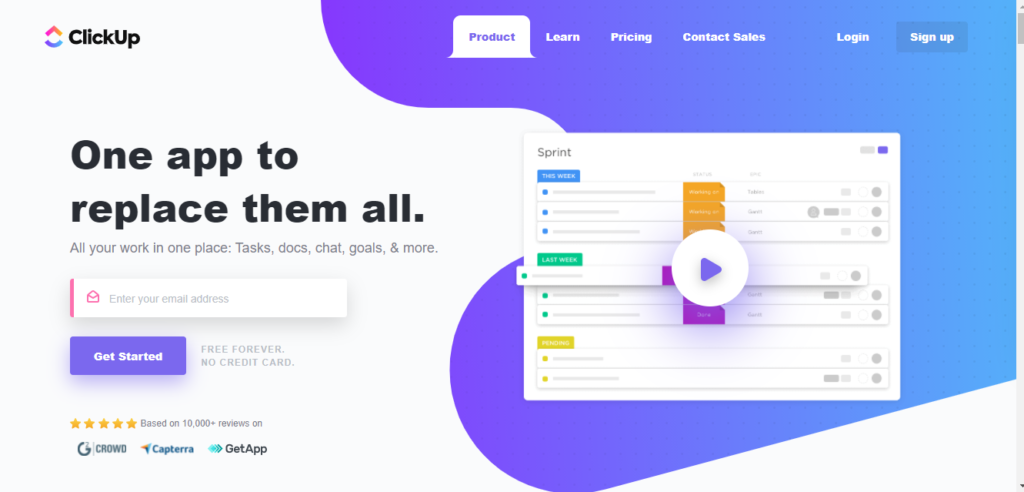
ClickUp packs 15+ views, built-in docs, whiteboards, chat, goals, and time tracking into a single workspace. It is one of the most feature-dense project management tools available, with a free tier and paid plans starting at $7/user/month .
The trade-off is complexity and cost surprises. ClickUp's breadth makes it one of the hardest PM tools to configure. In late 2024, ClickUp reclassified internal "guest" users sharing your email domain as billable "limited members," causing some organizations to see bills jump 2-4x overnight . And despite covering project management thoroughly, it lacks native CRM, invoicing, proposals, contracts, and client portals. Service businesses, agencies, and growing teams still need separate tools for anything beyond task tracking.
If you need more than project management, want predictable billing, or need a simpler setup, these 12 alternatives are worth evaluating.
Quick decision guide:
| If You Need | Best Pick | Starting Price |
|---|---|---|
| Everything in one platform | Agiled | Free |
| Visual drag-and-drop boards | Monday.com | Free |
| Clean, focused task management | Asana | Free |
| Marketing proofing workflows | Wrike | Free |
| Agile sprints and bug tracking | Jira | Free |
| Simplicity over features | Basecamp | $15/user |
| Agency client billing | Teamwork | Free |
| Docs + light project tracking | Notion | Free |
| Flat-rate unlimited users | ProofHub | $45/mo |
Why Teams Switch From ClickUp
ClickUp works well for teams that want maximum PM customization. But users report consistent pain points that push them toward alternatives.
- Overwhelming setup and onboarding. ClickUp's configuration layers (spaces, folders, lists, views, custom fields, automations, ClickApps) create a setup process that takes weeks before the workspace becomes productive. Multiple G2 reviewers describe spending more time configuring ClickUp than doing actual project work.
- No native CRM. ClickUp offers CRM templates, but there are no visual sales pipelines, deal stages, activity timelines, or contact management designed for actual sales workflows. Teams tracking leads alongside projects need a separate tool.
- No invoicing, proposals, or contracts. There is no built-in way to create invoices, send proposals, or manage contracts with e-signatures. Agencies billing clients need a finance tool on top of ClickUp.
- No client portal. There is no branded client-facing space where clients can view project progress, approve deliverables, or make payments. Guest access exists but is not a dedicated portal experience.
- AI costs $7-9/user/month extra, charged per paid member. ClickUp Brain AI starts at $7/user/month (standard) and Autopilot at $28/user/month . The fee applies to every paid member in the workspace, not just those who use AI. A 15-person Business team adding Brain AI sees costs jump 75% from $180/month to $315/month .
- Steep learning curve for new hires. Onboarding new employees into a configured ClickUp workspace takes longer than most alternatives. Teams frequently underuse features they are paying for because the interface is too dense to learn quickly.
1. Agiled: Best All-in-One Replacement for ClickUp
Agiled matches ClickUp's project management capabilities and adds native CRM, invoicing, proposals, contracts, client portals, HR, and AI agents, all included in the base price.
The gap between ClickUp and Agiled is most visible in the lead-to-cash flow. With ClickUp, you manage projects well but still need a CRM for sales, a tool for proposals and contracts, an invoicing platform for billing, and a client portal for transparency. Agiled brings all of this together. A lead enters through CRM, receives a proposal from Documents, signs a contract, becomes an active project in Projects, tracks time against it, and gets invoiced from Finance without switching apps.
AI agents are included at no extra cost. Unlike ClickUp's $7-9/user/month Brain AI add-on that charges every paid member, Agiled's AI drafts proposals, summarizes project updates, and generates reports as part of the base subscription. For a 30-person team, that difference alone saves $2,520-3,240/year .
What sets Agiled apart from ClickUp:
- Project management with Kanban boards, Gantt charts, task dependencies, milestones, and project templates via Projects
- Time tracking built in, converting tracked hours into billable invoices automatically
- CRM with visual pipelines, contact management, and deal tracking via CRM
- Invoicing and finance with estimates, recurring billing, expense tracking, and online payments
- Proposals and contracts with e-signatures and reusable templates
- Client portal where clients view project progress, approve deliverables, and make payments
- Workflow automation with visual builder, triggers, and conditions
- AI agents for drafting proposals, emails, and reports, included in the base price
- HR including attendance, leave tracking, and org charts
Pricing: Limited free workspace available. Starter starts at $29/month ($24/month billed annually). Pro is $69/month ($59/month billed annually) for 3 seats. .
2. Monday.com: Best for Visual Workflow Boards
Monday.com offers colorful, intuitive boards with drag-and-drop automation. It appeals to non-technical teams that prefer visual workflows over ClickUp's highly configurable but complex interface.
Monday.com is simpler to set up than ClickUp. Most teams are productive within a day rather than weeks. The trade-off is less depth: fewer views, less granular customization, and no built-in docs or whiteboards.
Key features:
- Customizable visual boards and dashboards with AI-powered automation
- 200+ templates for marketing, operations, and project workflows
- Time tracking and workload management
- Integrations with 40+ native tools plus Zapier
- Multiple views including Kanban, timeline, calendar, and chart
Limitations: CRM is a separate product (Monday Sales CRM) with its own pricing. No invoicing, proposals, or contracts built in. Per-seat pricing scales steeply: Standard at $14/seat/month means a 30-person team pays $420/month for PM alone .
Pricing: Free for up to 2 users. Basic at $12/seat/month. Standard at $14/seat/month. Pro at $27/seat/month.
3. Asana: Best for Clean Task Management
Asana is the pick for teams that find ClickUp overwhelming. Its interface is cleaner, setup is faster, and the focus is squarely on structured task management without feature overload.
Asana offers fewer views and less customization than ClickUp, but that constraint is a feature for teams that want everyone on the same workflow without configuration paralysis.
Key features:
- Lists, boards, timelines, and calendar views
- Custom rules and workflow automations
- Goals, milestones, and portfolio views for multi-project tracking
- 260+ native integrations including Slack, Jira, and Salesforce
- Single-assignee task model with subtask structure
Limitations: No CRM, invoicing, time tracking, or client portal at any tier. Resource management locked behind Enterprise pricing. Per-user pricing compounds: a 30-person team on Advanced pays $750/month .
Pricing: Free for up to 15 users (limited). Starter at $10.99/user/month. Advanced at $24.99/user/month.
4. Wrike: Best for Marketing and Creative Teams
Wrike targets marketing departments and agencies with proofing workflows, resource management, and cross-departmental collaboration that ClickUp handles through generic views.
Wrike's creative asset approval workflow is purpose-built: annotate images, PDFs, and videos with inline comments, route through approval chains, and track revision history. ClickUp's proofing is limited to file comments without structured approval flows.
Key features:
- Custom workflows with request forms for intake management
- Real-time Gantt charts and workload balancing
- Visual proofing and approval workflows for creative assets
- Time tracking with budget calculations per project
- Cross-tagging for multi-department visibility across projects
Limitations: Complex interface with its own learning curve. Many features gated behind higher-tier plans. No CRM, invoicing, or client portal. Business plan at $24.80/user/month is expensive for small teams .
Pricing: Free plan available. Team at $10/user/month. Business at $24.80/user/month. Enterprise and Pinnacle pricing on request.
5. Jira: Best for Software Development Teams
Jira is purpose-built for agile software teams running sprints, tracking bugs, and managing releases. If your team writes code, Jira's depth in development workflows exceeds what ClickUp's generalist approach can match.
ClickUp offers sprint views and GitHub integration, but Jira has 3,000+ developer-specific integrations, native CI/CD pipeline visibility, and release management designed for engineering workflows, not adapted from general project management.
Key features:
- Scrum and Kanban boards with sprint planning and velocity tracking
- Advanced roadmaps and release tracking with dependency mapping
- Bug and issue tracking with custom workflows and priorities
- 3,000+ integrations including GitHub, Bitbucket, GitLab, and CI/CD tools
- Automation rules tailored to development workflows (auto-assign on PR, transition on deploy)
Limitations: Built for development teams. Not suited for general business management, marketing, or client-facing work. No CRM, invoicing, proposals, or client portal. Non-technical team members often struggle with the interface.
Pricing: Free for up to 10 users. Standard at $8.15/user/month. Premium at $16/user/month .
6. Basecamp: Best for Teams That Want Simplicity
Basecamp is the deliberate opposite of ClickUp. No Gantt charts. No 15+ views. No custom fields. Instead: message boards, to-do lists, file storage, and group chat per project. Teams that find ClickUp overwhelming often land on Basecamp for its calm, opinionated experience.
The trade-off is clear: you lose project management power in exchange for a tool the entire team actually uses. Basecamp's flat-rate pricing at $349/month for unlimited users makes it dramatically cheaper per user for teams above 25 people.
Key features:
- Message boards and group chat organized per project
- To-do lists with assignments and deadlines
- File storage and document sharing
- Schedule and milestone tracking
- Automatic check-ins for async status updates
Limitations: No Gantt charts, time tracking, task dependencies, or advanced reporting. No CRM, invoicing, or client portal. Too basic for complex project workflows with interdependent tasks.
Pricing: $15/user/month. Pro Unlimited at $349/month flat for unlimited users .
7. Teamwork: Best for Agencies That Bill Clients
Teamwork is built specifically for agencies and client services teams. It combines project management with time tracking, invoicing, and profitability tracking per client and project, capabilities ClickUp lacks natively.
The key differentiator is profitability visibility. Teamwork tracks billable vs. non-billable hours per project, calculates project margins, and lets you see which clients are profitable and which are costing you money. ClickUp has time tracking but no native financial reporting.
Key features:
- Project templates, milestones, and task dependencies
- Profitability tracking per client and project with margin calculations
- Built-in time tracking that flows into invoices
- Client user access for project transparency
- Resource workload management with utilization reporting
Limitations: No built-in CRM, proposals, or contracts. Client access is project-level visibility, not a branded client portal. Pricing starts affordable but Grow at $25.99/user/month adds up for larger teams .
Pricing: Free for up to 5 users. Deliver at $13.99/user/month. Grow at $25.99/user/month. Scale pricing on request.
8. Notion: Best for Docs-First Teams
Notion combines docs, wikis, databases, and lightweight project management in one workspace. It is popular with startups and creative teams that value documentation and knowledge sharing more than structured PM.
Notion's strength is flexibility. Its database-driven approach lets you build custom project trackers, CRM-like views, and content calendars from scratch. But unlike ClickUp, it is not a purpose-built PM tool: there are no Gantt charts, resource management, or native time tracking.
Key features:
- Flexible databases for custom task and project tracking
- Built-in wikis, docs, and knowledge management
- AI-powered writing and summaries included in paid plans
- Templates marketplace with thousands of pre-built workflows
- Real-time collaboration with inline comments and mentions
Limitations: Not purpose-built for PM: no Gantt charts, resource management, time tracking, or task dependencies. No CRM, invoicing, or client portal. Performance can lag on large databases with complex relations.
Pricing: Free plan available. Plus at $12/seat/month. Business at $18/seat/month .
9. Airtable: Best for Custom Data Workflows
Airtable combines spreadsheet flexibility with relational database power. Teams that need custom workflows and structured data management but find ClickUp's approach too opinionated can build exactly what they need in Airtable.
The difference: ClickUp gives you pre-built PM structure with customization. Airtable gives you raw building blocks to create your own. This means more setup time but complete control over fields, relationships, and automations.
Key features:
- Grid, Kanban, Calendar, Gallery, and Timeline views
- Custom fields with formulas, linked records, and rollups
- Workflow automations with triggers, conditions, and actions
- Interface designer for building custom internal apps
- API access and extensive integrations for custom workflows
Limitations: Requires significant setup to use for project management. No native time tracking, invoicing, or client management. Team plan at $20/seat/month is expensive for basic PM needs .
Pricing: Free plan available. Team at $20/seat/month. Business at $45/seat/month. Enterprise pricing on request.
10. Scoro: Best for Enterprise Professional Services
Scoro covers the full quote-to-cash cycle: CRM, quoting, project management, time tracking, invoicing, and financial reporting in one system. It targets larger agencies and consultancies where profitability analysis is critical.
Scoro is the only alternative besides Agiled that includes both CRM and invoicing natively. The difference: Scoro costs significantly more (5-seat minimum at $20/user/month = $100/month entry point) and is designed for established firms, not growing teams.
Key features:
- Project and resource management with Gantt charts and utilization dashboards
- CRM with deal pipelines, quoting, and contact management
- Time tracking with billable/non-billable categorization
- Invoicing, expense tracking, and financial dashboards
- Profitability analysis per project, client, and team member
Limitations: Expensive. Essential requires 5-seat minimum at $20/user/month ($100/month entry point) . Complex setup with a steep learning curve. No client portal. Overkill for small teams or straightforward project tracking.
Pricing: Essential at $20/user/month (min 5 seats). Standard at $42/user/month. Pro at $71/user/month.
11. Flowlu: Best for Budget-Conscious Small Teams
Flowlu offers CRM, project management, invoicing, and knowledge bases at a lower price than most competitors. Small teams that want more than PM but cannot justify enterprise pricing find Flowlu practical.
Flowlu covers more ground than ClickUp at comparable or lower cost. Its CRM has real sales pipelines (not templates), and invoicing is built in. The trade-off is a smaller ecosystem, fewer integrations, and a less polished interface.
Key features:
- CRM with sales pipelines, lead management, and deal tracking
- Project management with Kanban and Gantt views
- Invoicing and expense tracking
- Knowledge base and wiki for team documentation
- Mind maps and task automation workflows
Limitations: Smaller user base and ecosystem. Interface is less polished than premium competitors. Fewer integrations than ClickUp, Asana, or Monday.com. Automation capabilities are basic compared to ClickUp's.
Pricing: Free plan for up to 2 users. Team at $29/month (8 users). Business at $59/month (16 users). Professional at $119/month (25 users) .
12. ProofHub: Best Flat-Rate Pricing for Growing Teams
ProofHub charges flat monthly rates with no per-user pricing. For teams growing past 20 people, ProofHub's pricing model is its strongest advantage over ClickUp's per-seat structure.
A 50-person team on ProofHub's Ultimate Control plan pays $89/month total . The same team on ClickUp Business pays $600/month before adding Brain AI. The cost predictability makes budgeting straightforward.
Key features:
- Task management with Kanban boards and Gantt charts
- Proofing and approval workflows for creative files
- Custom workflows and custom roles
- Time tracking and timesheets
- Discussions, notes, and group chat
Limitations: Dated interface compared to ClickUp and modern PM tools. No CRM, invoicing, or client portal. Limited integrations ecosystem. Feature depth is shallower than ClickUp across every PM dimension.
Pricing: Essential at $45/month (flat rate, unlimited users). Ultimate Control at $89/month (flat rate, unlimited users).
How These 12 Platforms Compare on Core Features
We evaluated each platform across 7 capabilities that ClickUp users ask about most in community forums and review sites: project management depth, CRM, invoicing, time tracking, client portal, automation, and AI included in the base price.
| Platform | PM Depth | CRM | Invoicing | Time Tracking | Client Portal | Automation | AI Included | Price From |
|---|---|---|---|---|---|---|---|---|
| Agiled | Full | Yes | Yes | Yes | Yes | Yes | Yes | Free |
| ClickUp | Full | Template | No | Yes | No | Yes | Add-on | Free |
| Monday.com | Full | Add-on | No | Yes | No | Yes | Partial | Free |
| Asana | Full | No | No | No | No | Yes | No | Free* |
| Wrike | Full | No | No | Yes | No | Yes | No | Free |
| Jira | Full (dev) | No | No | No | No | Yes | Partial | Free |
| Basecamp | Basic | No | No | No | No | Basic | No | $15/user |
| Teamwork | Full | No | Yes | Yes | Limited | Yes | No | Free |
| Notion | Basic | No | No | No | No | Basic | Yes | Free |
| Airtable | Custom | No | No | No | No | Yes | Partial | Free |
| Scoro | Full | Yes | Yes | Yes | No | Yes | No | $100/mo* |
| Flowlu | Full | Yes | Yes | No | No | Basic | No | Free |
| ProofHub | Full | No | No | Yes | No | Yes | No | $45/mo |
*Asana free limited to 15 users with basic features. Scoro requires 5-seat minimum at $20/user.
Our 7-Category Feature Scoring Analysis
To produce the comparison above, we cross-referenced feature pages, pricing pages, and recent user reviews on Capterra, G2, and Reddit for all 12 platforms (as of April 2026). Where a feature existed but was limited compared to dedicated tools (for example, Notion's database-built project tracking vs. ClickUp's purpose-built PM with 15+ views), we scored it as "Basic" or "Custom" rather than "Full" or "Yes."
What the data shows:
- Only 1 platform (Agiled) offers CRM, invoicing, client portal, AND AI alongside full project management at no extra per-feature cost. Scoro covers CRM and invoicing but has no client portal, no included AI, and costs $100/month minimum.
- ClickUp scores "No" on 3 of 7 categories (CRM, invoicing, client portal) and its AI costs $7-9/user/month extra. A 30-person Business team pays $4,320/year for ClickUp alone; adding Brain AI pushes that to $6,840-7,560/year, still without CRM or invoicing .
- The cost-per-feature ratio for a 30-person team on ClickUp Business ($12/user) is approximately $90/month per available feature category (4 of 7, counting AI as add-on). Agiled's paid plan delivers 7/7 coverage at roughly $34/month per feature category at the same team size.
- Flat-rate tools like ProofHub ($89/month) and Basecamp ($349/month) become dramatically cheaper per user past 25 people, but both sacrifice CRM, invoicing, client portal, and AI functionality.
- Monday.com and Asana offer strong PM alternatives to ClickUp but leave the same business operations gap: billing, proposals, and client communication still require $10-50/user/month in additional platforms.
What a 30-Person Team Actually Pays
Per-user pricing obscures the real cost at scale. Here is what a 30-person team pays annually for each platform, including AI where it is an add-on:
| Platform | Monthly (30 users) | Annual Cost | With AI Add-on | Includes CRM + Invoicing? |
|---|---|---|---|---|
| ClickUp Unlimited | $210 | $2,520 | $4,680-5,400 | No |
| ClickUp Business | $360 | $4,320 | $6,840-7,560 | No |
| Monday.com Standard | $420 | $5,040 | N/A | CRM separate |
| Asana Advanced | $750 | $9,000 | N/A | No |
| Wrike Business | $744 | $8,928 | N/A | No |
| Basecamp Pro | $349 | $4,188 | N/A | No |
| ProofHub Ultimate | $89 | $1,068 | N/A | No |
| Agiled Pro | $240 | $2,880 | Included | Yes |
| Scoro Standard | $1,260 | $15,120 | N/A | Yes |
| Flowlu Business | $59 | $708 | N/A | Yes (16 users) |
The break-even math is revealing. A 30-person team on ClickUp Business with Brain AI pays $7,560/year for PM + AI with no CRM or invoicing. Add HubSpot Starter ($3,600/year) for CRM and a basic invoicing tool ($300-600/year), and the total cost of ownership reaches $11,460-11,760/year. Agiled covers all of this for $2,880/year, a savings of $8,580-8,880 annually.
For teams that only need PM, ProofHub at $1,068/year for unlimited users is the cheapest option, but you give up CRM, invoicing, client portal, time tracking depth, and AI. The flat-rate crossover point where ProofHub beats ClickUp Unlimited on per-user cost is just 7 users ($89/month vs. $7/user x 7 = $49/month, then flips at 13 seats where ClickUp hits $91/month).
When ClickUp Is Still the Right Choice
Not every team needs to switch. ClickUp remains the right tool in specific situations:
- Your team only needs project management and loves customization. If you do not invoice clients, manage sales pipelines, or need client portals, ClickUp's 15+ views, ClickApps, and deep customization are strengths. Adding CRM and billing to your stack only matters if you need them.
- You have already invested weeks configuring your workspace. Teams that spent significant time building custom fields, views, automations, and templates in ClickUp face real migration costs. If the configuration is working and the team is productive, the switching cost may exceed the savings.
- Your team is technical and prefers maximum flexibility. ClickUp rewards power users who learn its systems. Engineering and product teams that enjoy deep configuration will find simpler tools frustrating after getting comfortable with ClickUp's depth.
- You are a small team on the Free or Unlimited plan. At $0-7/user/month for teams under 10, ClickUp is competitively priced. The cost complaints hit harder above 25 users on Business or when adding AI.
- You use ClickUp Docs and Whiteboards extensively. No alternative replicates ClickUp's combination of docs, whiteboards, and project management in one workspace. Notion matches docs, but not PM depth. Monday.com matches PM, but not docs.
If none of these apply, you will likely get more value from one of the 12 alternatives above.
Frequently Asked Questions
How much does ClickUp cost in 2026?
ClickUp has a Free Forever plan for personal use. Paid plans are Unlimited at $7/user/month (billed yearly) or $10/user/month billed monthly, and Business at $12/user/month (yearly) . Enterprise pricing is custom. Brain AI is an add-on: standard at $7-9/user/month and Autopilot at $28/user/month, charged per paid workspace member regardless of actual AI usage. Volume discounts for 25-100 users bring rates to $5-6.50/user/month on multi-year commitments.
Is there anything better than ClickUp for project management?
It depends on what "better" means for your team. For raw PM feature depth, ClickUp is hard to beat. For simplicity, Asana and Basecamp are better choices. For all-in-one business management (CRM + invoicing + PM + client portal), Agiled covers more ground in a single platform. For software development, Jira's purpose-built sprint and release tools are deeper than ClickUp's generalist approach. For visual workflows with less setup time, Monday.com gets teams productive faster.
Is ClickUp still buggy in 2026?
ClickUp has improved stability significantly since its earlier years, but Reddit threads on r/clickup still report occasional performance issues: slow loading on large workspaces, mobile app lag, and notification delays. The platform's complexity means more surface area for bugs. Simpler alternatives like Basecamp, Asana, and ProofHub have fewer reported stability issues because they attempt less.
Which is cheaper for teams, Asana or ClickUp?
ClickUp is cheaper at every tier. ClickUp Unlimited ($7/user/month) undercuts Asana Starter ($10.99/user/month) by 36% while offering more features including native time tracking and multiple assignees . For a 30-person team, that gap translates to $1,437/year in savings. However, if you add ClickUp Brain AI, the cost advantage narrows or disappears depending on the AI tier chosen.
Can I migrate my data from ClickUp to another tool?
Most alternatives support CSV import for tasks, projects, and team data. ClickUp provides export options for spaces, folders, and lists. Monday.com and Asana offer import tools that can map ClickUp fields. For custom views, automations, and ClickApps configurations, expect to rebuild these manually. Start migration by exporting your most active projects first, verify the import quality, then move historical data.
Does ClickUp have a real CRM?
No. ClickUp offers CRM templates that use custom views and fields to track contacts and deals, but it is not a native CRM. There are no visual sales pipelines with drag-and-drop deal stages, no automated activity timelines, no email sequence tracking, and no built-in lead scoring. Teams that need CRM alongside PM typically pair ClickUp with HubSpot ($15-50/user/month extra) or switch to a platform like Agiled that includes CRM natively alongside project management.
Related Comparisons:
- Agiled vs ClickUp
- ClickUp vs Asana
- ClickUp vs Monday
- ClickUp vs Trello
- ClickUp vs Basecamp
- Asana vs ClickUp vs Monday
- SuiteDash vs ClickUp
- Best Asana Alternatives
- Best Monday.com Alternatives
- Best Wrike Alternatives
- Best ProofHub Alternatives
For more resources, browse the Agiled resource hub.
Ready to streamline your business?
Try Agiled free and see how our all-in-one platform can help you manage your business more efficiently.